
Zimension for Education

Build the Next Generation of 3D, XR & Game Creators

Zimension helps institutes teach no-code 3D game development, XR experiences, AI-assisted content creation, and interactive storytelling, directly in the browser. Give your students a practical platform to create, publish, and showcase real interactive projects.
No Installation No-Code First Hosted or On-Premise Portfolio-Ready
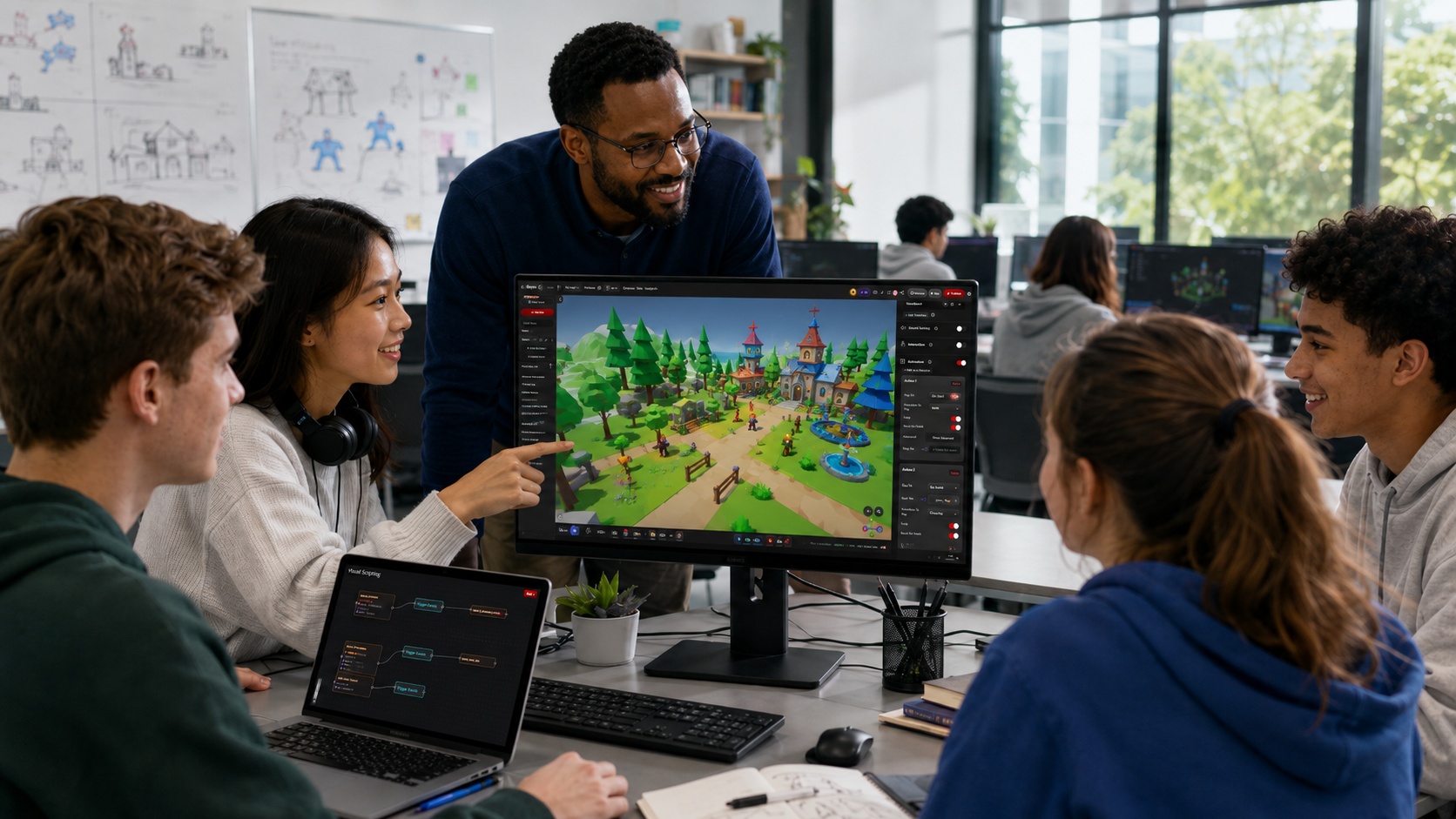
Students collaboratively building a 3D game scene in the Zimension browser editor
🌐

Browser-Based

No installs, no license setup.

🧩

No-Code First

Advanced when students are ready.

đŸĨŊ

XR & VR Ready

Immersive learning built in.

🤖

AI-Assisted

Text/image-to-3D for fast making.

🔗

Instant Publish

Share playable links to review.

From Idea to Playable 3D Experience: From Day One

Whether you run an AVGC program, game development course, XR lab, design school, engineering innovation lab, media program, or short-term workshop, Zimension gives students a practical way to build, publish, and showcase interactive 3D projects.

Instead of only learning theory, students create real interactive projects that can be played, shared, reviewed, and improved.
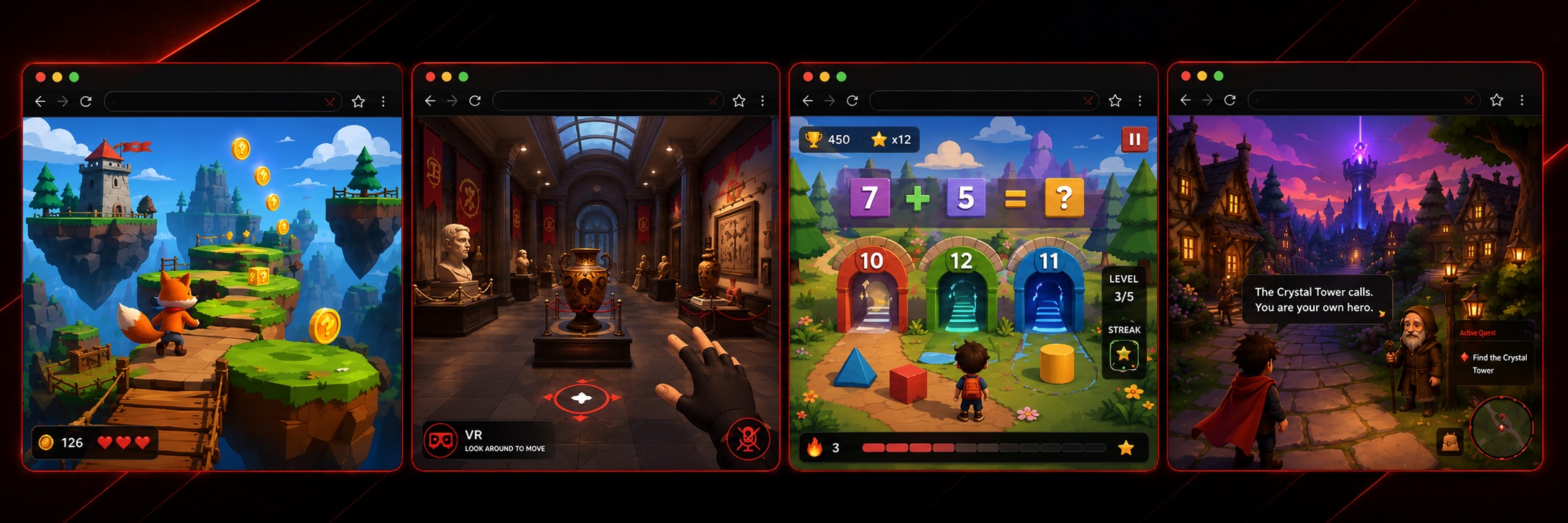
3D Games XR & VR Experiences Interactive Simulations Gamified Learning Modules Virtual Exhibitions Story-Based 3D Worlds Training Environments AI-Assisted 3D Projects Portfolio-Ready Web Experiences
A strip of varied student creations, 3D platformer, VR museum walkthrough, physics simulation, and a story-driven world

Future-Ready Skills Through Hands-On Creation

Designed for institutes that want to teach practical, outcome-driven creative technology, not just theory.
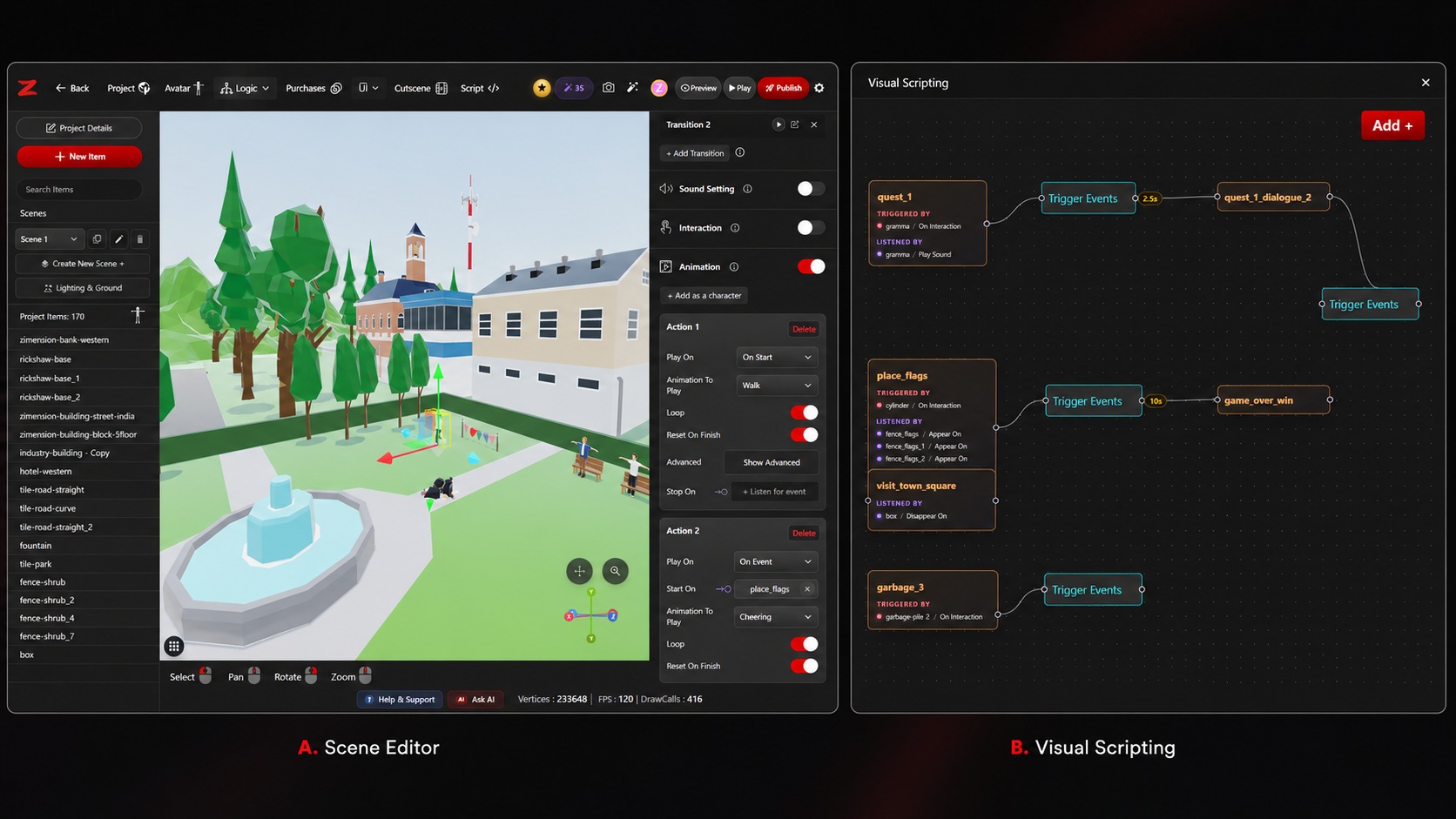
Wide screenshot of the Zimension browser editor, 3D viewport with a student's game scene, hierarchy panel, and no-code logic nodes

Browser-Based 3D Creation

Runs directly in the browser, far easier to adopt than traditional 3D or game engines. Students start without complex installation, license setup, or high-end local hardware.

  • Computer labs & classrooms
  • Workshops & student clubs
  • Online, hybrid & game jams

No-Code First, Advanced When Needed

Beginner-friendly but not limited to basics. Students start with visual creation and no-code logic, then explore events, variables, logic flow, interaction design, UI, scripting, AI tools, and XR publishing.

  • Useful for non-technical students
  • Depth for technical students
  • Gradual skill progression

Learn by Building Real Projects

Makes project-based learning easier. Faculty use it for assignments, capstones, game jams, design challenges, XR modules, interactive storytelling, and simulation-based learning.

  • Quick to build & publish
  • Practical, outcome-driven
  • Innovation lab projects

Six Skill Tracks, One Platform

From game design fundamentals to AI-assisted production and web publishing, all learned by making real, playable work.
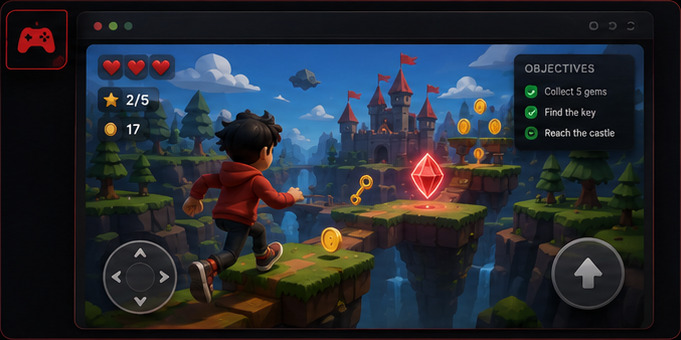
A playable 3D platformer game built by a student
01

Game & Interaction Design

Learn the fundamentals of gameplay, interaction, objectives, world design, player experience, and feedback systems by creating playable web games.
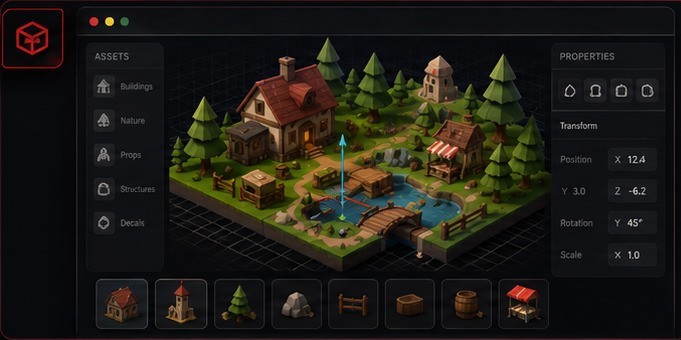
Isometric 3D scene editor with an asset library
02

3D World Building

Design interactive 3D scenes using ready assets, imported models, AI-generated assets, environments, characters, props, and templates.
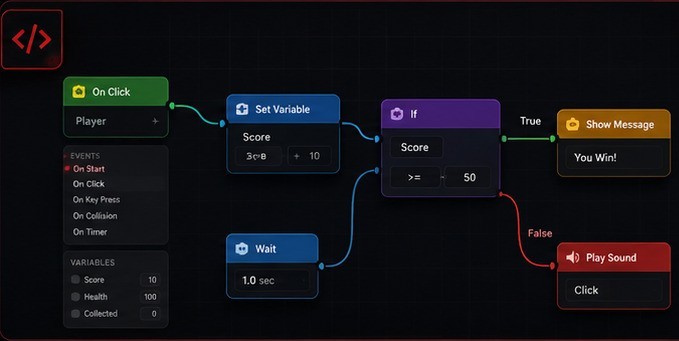
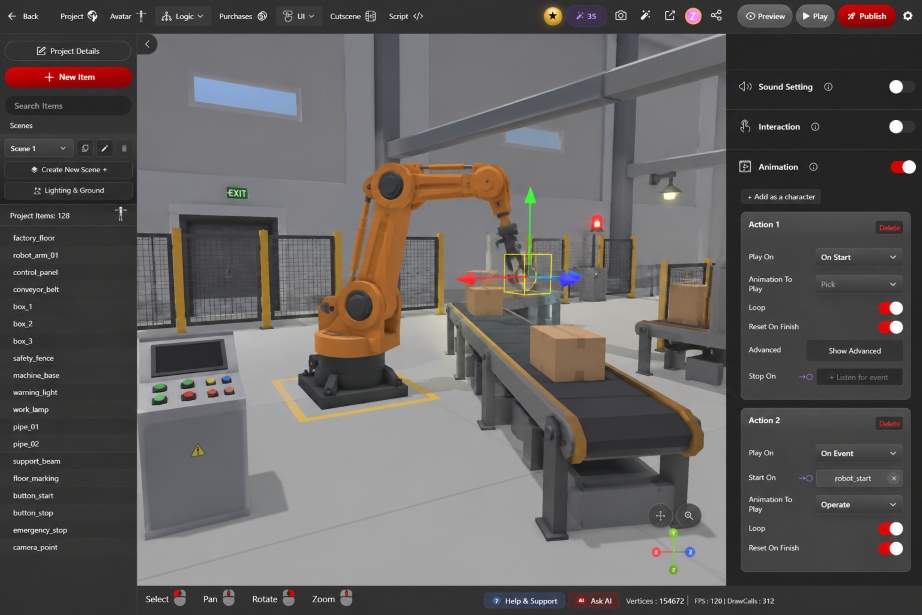
Visual no-code logic flow graph
03

Logic & Computational Thinking

No-code logic flow helps students understand events, variables, conditions, triggers, and interactive systems, without starting directly with code.
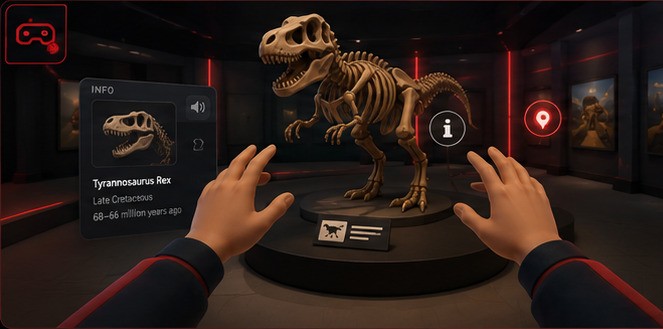
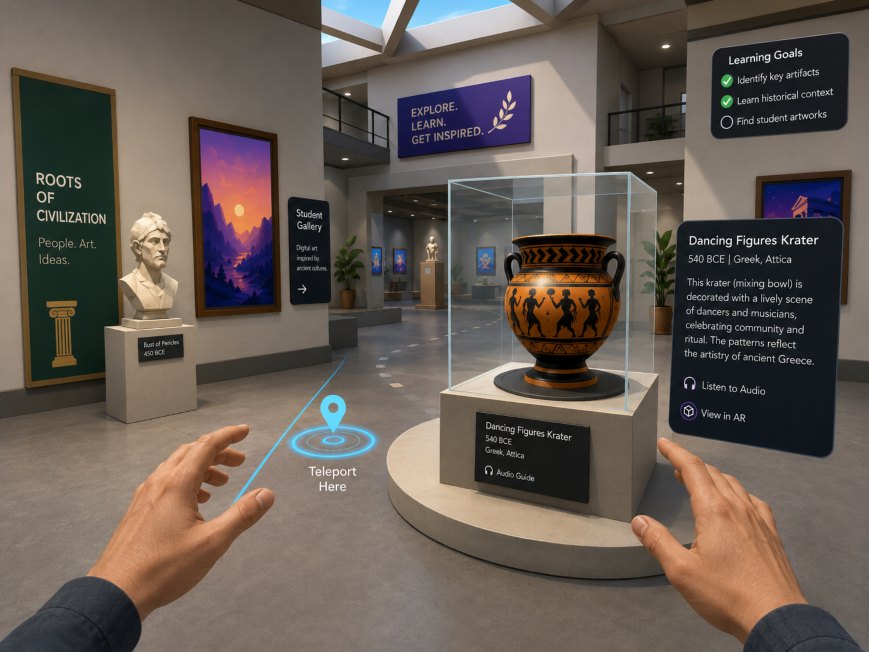
A VR museum exhibition walkthrough experience
04

XR & VR Experience Creation

Explore immersive experience design for education, training, storytelling, simulation, and virtual environments.
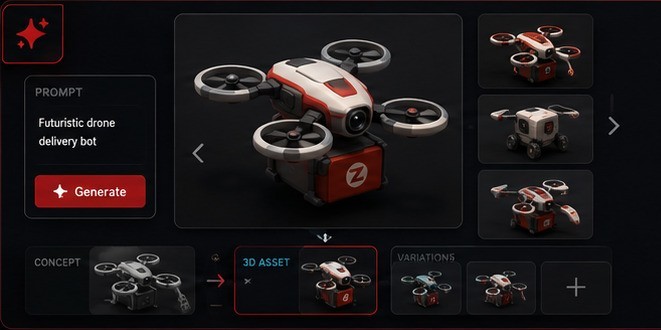
AI-assisted text-to-3D asset generation
05

AI-Assisted Creative Production

Experiment with AI-powered creation: text-to-3D, concept image generation, voice generation, and rapid prototyping workflows.
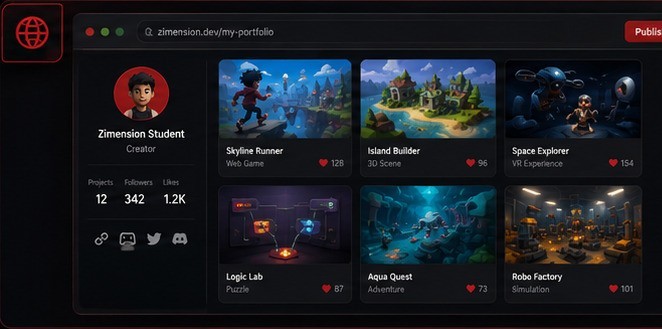
A student portfolio page of published web projects
06

Web Publishing & Portfolios

Publish and share projects as web links, building a practical portfolio for internships, jobs, competitions, and higher studies.

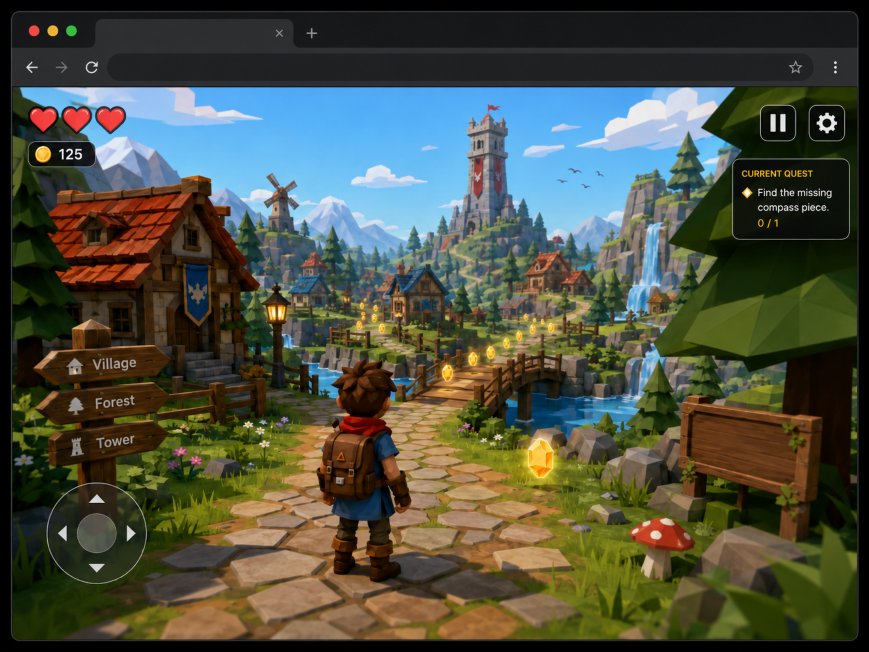
Real Projects, Built by Students

A snapshot of what students publish with Zimension, from first classroom demos to portfolio-ready experiences.
One Platform for Faculty, Students & Institutes

👩‍đŸĢ

Faculty

Run practical sessions with less technical friction: teaching, project, and showcase platform in one.

  • ✓Create assignments around interactive 3D projects
  • ✓Review student projects through shared links
  • ✓Conduct workshops without complex installation
  • ✓Introduce no-code game & XR creation
  • ✓Use templates to explain design & logic
  • ✓Run showcases & internal competitions
🎓

Students

A practical creation environment to build real work instead of only watching tutorials.

  • ✓Create 3D games without coding from scratch
  • ✓Build XR and VR experiences
  • ✓Use AI tools to speed up asset creation
  • ✓Understand logic through visual workflows
  • ✓Publish projects instantly & share links
  • ✓Build portfolio-ready interactive projects

Why the Institute Plan Delivers More
Than Free Access

Zimension's free tier supports individual exploration. Institutions, however, require structured access, governance, and support at scale: capabilities the Institute Plan is purpose-built to provide.

Free Access

Great for Individual Exploration

Students can try the platform, experiment with basic creation, and understand the possibilities.

  • ✓Try the platform individually
  • ✓Experiment with basic creation
  • -No organized student access
  • -No faculty control or review workflows
  • -Standard usage limits
  • -No dedicated support for labs & events
Institute Plan

A Complete Education-Ready Platform

Everything institutes need to teach, manage, and scale, with reliability for labs, classes, and events.

  • ✓Organized student access & faculty control
  • ✓Higher usage limits & premium features
  • ✓AI credit allocation for student projects
  • ✓Private workspace & project review workflows
  • ✓Support during workshops & classes
  • ✓Deployment choices & academic integration

Hosted or On-Premise: Your Choice

Start fast with the hosted plan, or deploy privately for more control. Both give students the same practical way to build 3D, XR, and game projects.
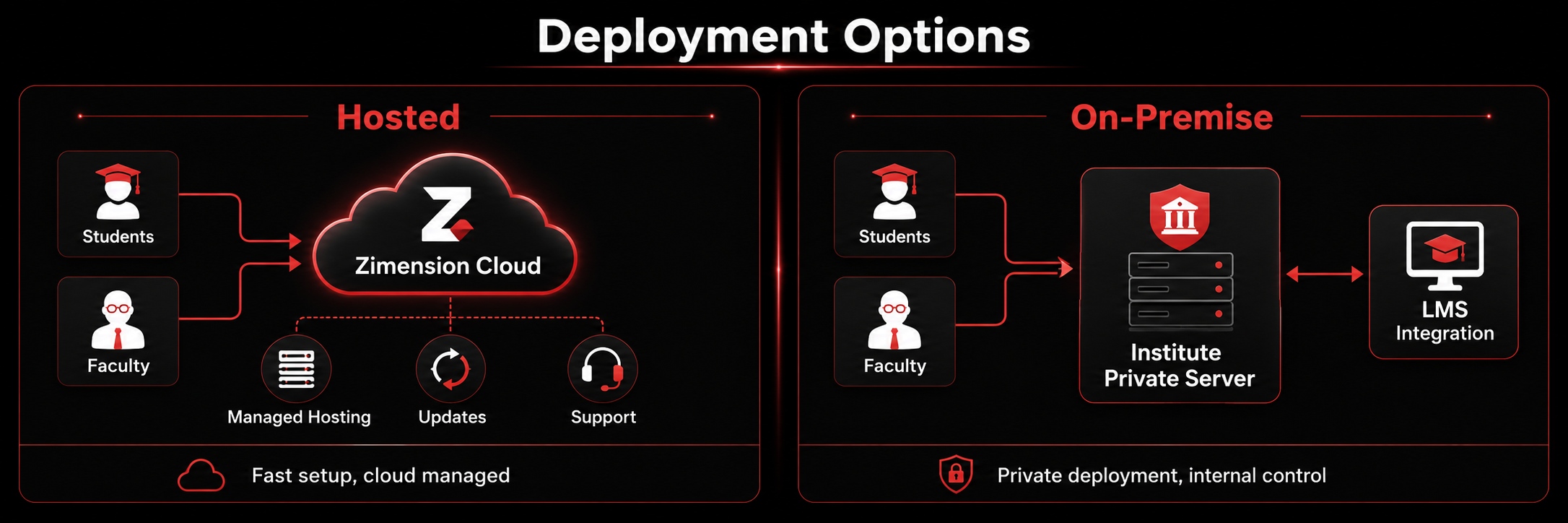
Deployment options: Hosted (Zimension Cloud) versus On-Premise (institute's private server / LMS integration)
â˜ī¸
Hosted Plan

Fastest Way to Start Teaching

Ideal for quick setup, easy access, and minimum IT involvement. Hosted and maintained by the Zimension team; students and faculty access it through the web.

Best For
  • ✓First-time institutes, short-term workshops, and game development courses
  • ✓AVGC/XR training, student clubs, innovation labs, and game jams
  • ✓Multi-campus, remote, and hybrid learning
Benefits
  • ✓Quick setup: no server, deployment, or infrastructure work
  • ✓Automatic updates: new features & fixes with no manual work
  • ✓Lower initial cost and scalable learning by batch or program
🔒
On-Premise Plan

Private Deployment for More Control

For institutes needing private infrastructure, stronger data control, internal access policies, or custom integration. Deployed on the institute's own server or private cloud.

Best For
  • ✓Universities with strict IT policies and government institutes
  • ✓Defense/simulation training, research labs, and innovation centers
  • ✓Large AVGC/XR labs needing internal-only access or integrations
Benefits
  • ✓Greater data control: projects stay within your infrastructure
  • ✓Custom integration with portals, LMS, and login systems
  • ✓Local network usage for lab-based, low-dependency setups
Choose based on what you want Hosted On-Premise
Setup speed & effort✓Quick start, minimal ITPrivate deployment setup
Updates✓AutomaticManaged internally
Data & access controlCloud-managed✓Internal storage & restricted access
Custom integrationStandard✓LMS, portals & workflows
Initial cost✓LowerDedicated environment
Best fitFast workshops & remote accessLong-term lab & compliance

What Can Be Included

The final plan is tailored to institute size, batch strength, use case, and deployment model. Possible inclusions:

✓Student accounts ✓Faculty accounts ✓Institute workspace ✓Premium feature access ✓AI credits ✓Higher project limits ✓Higher storage limits ✓Advanced publishing support ✓Private project access ✓Faculty onboarding ✓Student workshop ✓Curriculum support ✓Project templates ✓Competition support ✓Priority support ✓Hosted deployment ✓On-premise deployment ✓Custom branding options ✓Custom workflow support

One Platform, Many Programs

🎮

Game Development Courses

Teach students to design, build, test, publish, and improve playable 3D games.

đŸĨŊ

XR & VR Labs

Let students create immersive training, education, storytelling, and simulation experiences.

đŸŽŦ

AVGC Programs

Practical modules around game design, 3D environments, interaction design, and real-time content.

🎨

Design & Media Schools

Create interactive brand experiences, virtual exhibitions, 3D storytelling, and portfolio pieces.

âš™ī¸

Engineering & Innovation Labs

Simulations, product explainers, training environments, digital twin-style demos, and prototypes.

đŸĢ

Schools & Beginner Programs

Introduce logic, creativity, interaction, and computational thinking through no-code 3D creation.

⚡

Game Jams & Hackathons

Run fast-paced creative events where students build and publish projects within a limited time.

Have a different program?

We'll help you shape Zimension around your curriculum.

Talk to Zimension →

Bring Zimension to Your Institute

🎓

Colleges, Universities & Training Institutes

Bring practical 3D, XR, game creation, and AI-assisted interactive development into your curriculum. Request an institute plan for your students and faculty.

Get Education Plan
📅

Workshops & Short-Term Programs

Planning a 1-day, 3-day, or week-long workshop? Zimension helps you onboard students quickly and guide them toward creating real interactive 3D projects.

Plan a Workshop
đŸ”Ŧ

XR, AVGC & Innovation Labs

Build a dedicated creation environment for immersive learning, game development, virtual simulations, and student portfolios. Choose hosted or on-premise.

Talk to Zimension

Questions Institutes Ask

Can students use Zimension for free? +
Yes. Zimension offers many free features for individual exploration. The Institute Plan is designed for structured academic use with higher limits, premium tools, support, student management, AI credits, and deployment options.
Is coding required? +
No. Students can build using Zimension's no-code tools. Technical students can gradually explore advanced workflows and scripting where applicable.
Does Zimension run in the browser? +
Yes. Zimension is web-based, which makes it easier to use in labs, classrooms, workshops, and remote learning environments.
Can students publish their projects? +
Yes. Students can publish and share their interactive 3D projects through web links, making it useful for portfolios, reviews, showcases, and competitions.
Can faculty review student work? +
Yes. Student projects can be shared with faculty for review, feedback, assessment, or showcase.
Do you support workshops? +
Yes. Zimension can support onboarding sessions, workshops, project ideas, student challenges, and faculty orientation.
Is there an on-premise option? +
Yes. Institutes that need private deployment, internal data control, or custom infrastructure can explore the on-premise option.
Which is better: hosted or on-premise? +
Hosted is best for fast setup and lower IT effort. On-premise is best for institutes that need more control, privacy, custom integration, or internal deployment.
Can Zimension be used beyond game development? +
Yes. Zimension can be used for XR learning, simulations, interactive storytelling, virtual exhibitions, product visualization, training environments, gamified learning, and AI-assisted 3D creation.

Move Beyond Theory. Give Students
Hands-On Interactive Technology.

From the first classroom demo to advanced student projects, Zimension makes it easier to teach, build, publish, and showcase 3D and XR experiences.

Start with Hosted For speed and simplicity: quick setup, minimal IT.
Choose On-Premise For privacy, control, and deeper institutional deployment.

No installation. No barriers. Just create.

Zimension AI

Docs assistant

How can I help?

Ask anything about Zimension docs

AI may make mistakes. Always verify with official docs.