


7 Small 3D Game Ideas for Beginners You Can Actually Finish
Explore seven small 3D games you can build in Zimension, with real editor screenshots, practical first versions, and a route from library assets to a playable link.
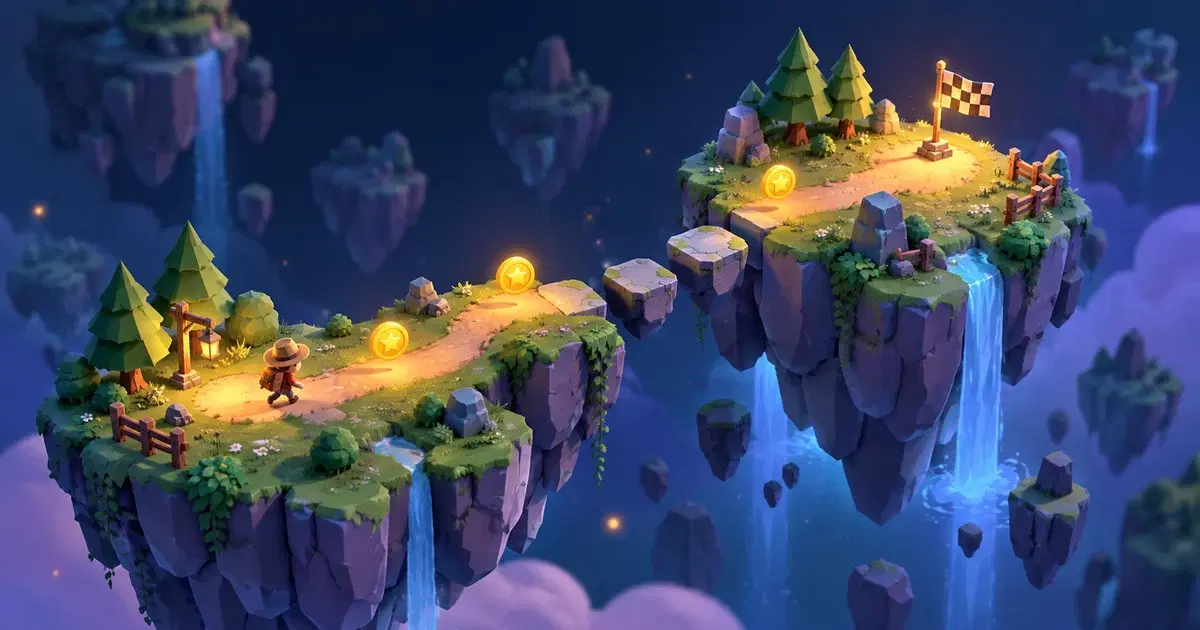
Your first game idea has a dragon, a crafting system, twelve biomes, and a deeply troubled royal family.
Your first finished game probably needs a coin and somewhere to put it.
That sounds less glamorous. It is also how you get to the wonderful moment when someone plays something you made, understands it, and asks for another go.
If you are looking for 3D game ideas for beginners, start with a small space, one main action, and a clear way to win. We'll use Zimension, a browser-based no-code 3D game creator, to show how those ideas translate into a scene, a few interactions, and something another person can play.
The seven ideas below are deliberately compact. Each has a smallest playable version, a useful design lesson, and one tempting feature to leave out until later.
What building a game in Zimension actually looks like
The useful part of a visual editor is being able to arrange a space, change an object's behaviour, and test the result while the scene is still in front of you. In Zimension, you add objects from the library, position them in the 3D viewport, and configure the selected item in the settings panel. Events and logic flows handle the rules that turn the scenery into a game.
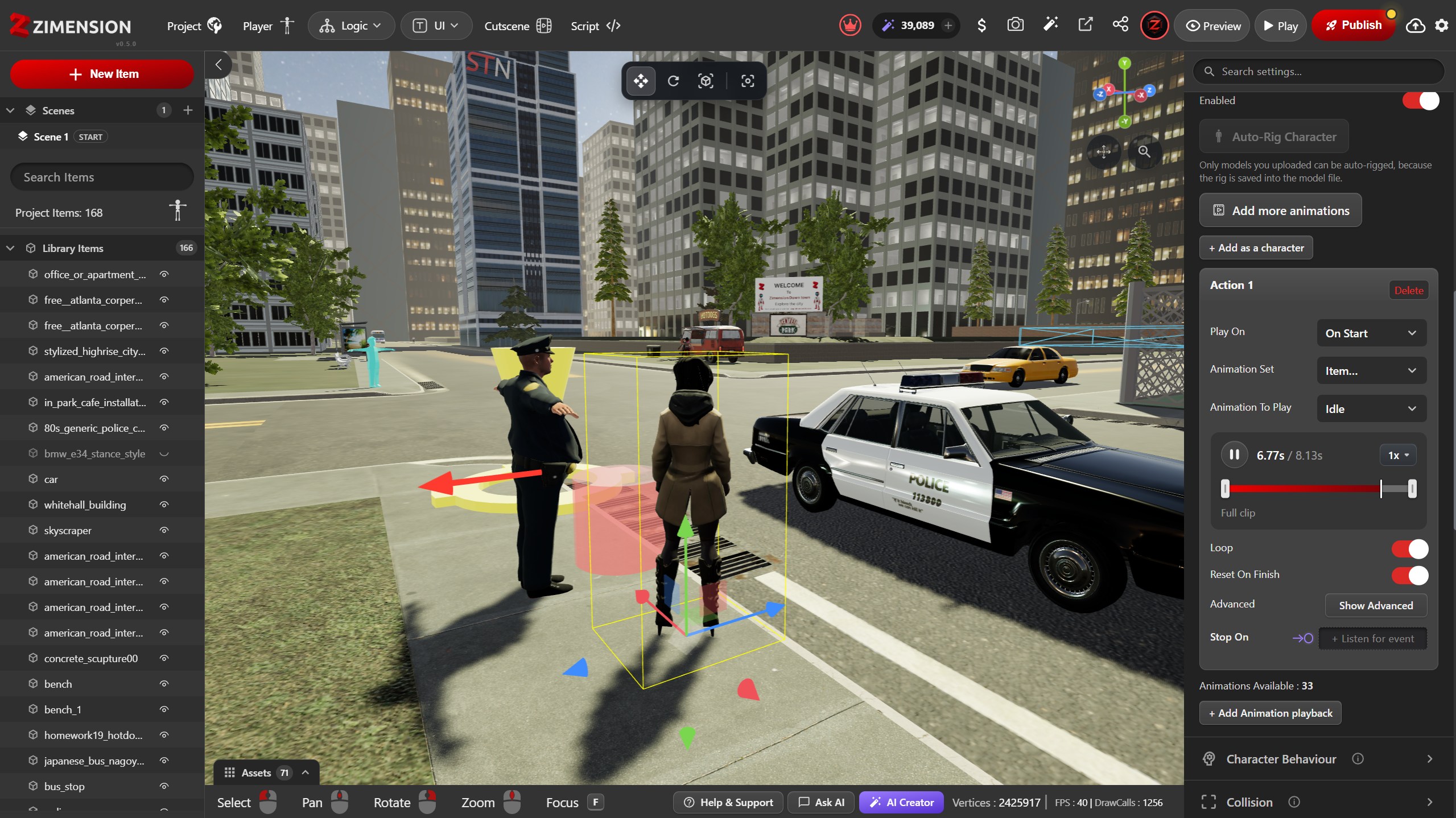
For any idea on this list, aim for the same loop: add a few objects, connect one rule, press Play, improve what happens. You can open Zimension in another tab and build along. No need to begin by modelling the royal family.
What makes a good first 3D game?
A good beginner project answers three questions quickly:
- What do I do? Collect, jump, deliver, explore, or solve something.
- How do I know it worked? A sound, a visible change, or an updated objective confirms the action.
- When am I done? An exit opens, a delivery arrives, or a finish area celebrates the result.
Try writing your idea in one sentence: “The player must collect three lost batteries to power the exit.” If the sentence contains “and also” four times, you may have accidentally written a franchise proposal.
There is no magic rule about how many hours your first game should take. Keep the first version small enough that you can test the whole thing from beginning to end whenever you change it.
1. The three-object treasure hunt
The idea: Find three missing objects in a small courtyard, garden, or space station, then return to the exit.
Smallest playable version: One area, three collectibles, a progress indicator, and a finish condition. Give the first object an obvious position so the player learns what to look for. Put the next two somewhere that rewards looking around without requiring archaeological qualifications.
In Zimension, use scene objects for the environment and event-driven logic to track collection. Give each object a collected state so interacting with the same one repeatedly cannot complete the whole hunt. That is an exploit, even if the player calls it efficiency.
A number variable can hold the collection count, while a Boolean flag for each object records whether it has already been picked up. The same variables and conditions can check the target count and trigger the finish response. Those are reusable building blocks for your next game, too.
What you learn: Object placement, feedback, simple variables, and the difference between “hidden” and “impossible to see.”
Save for later: Random object locations, a full inventory, and fifty collectibles. Three well-placed objects will teach you more than fifty identical chores.
2. The tiny obstacle course
The idea: Cross a short sequence of platforms and reach a finish marker.
Smallest playable version: A safe starting area, three obstacles, an obvious finish, and a reliable way to retry after a fall. Begin with an easy gap, repeat it with a small variation, then finish with one slightly harder challenge.
Keep the landing areas readable from the player's camera. A jump that looks easy from the editor's overhead view can feel very different when the player is standing in front of it.
For a first version in Zimension, open New Item → Library → Basics and use boxes as platforms. Resize and position the shapes, configure collision, and test the route with the player's controls before you replace anything with prettier scenery.
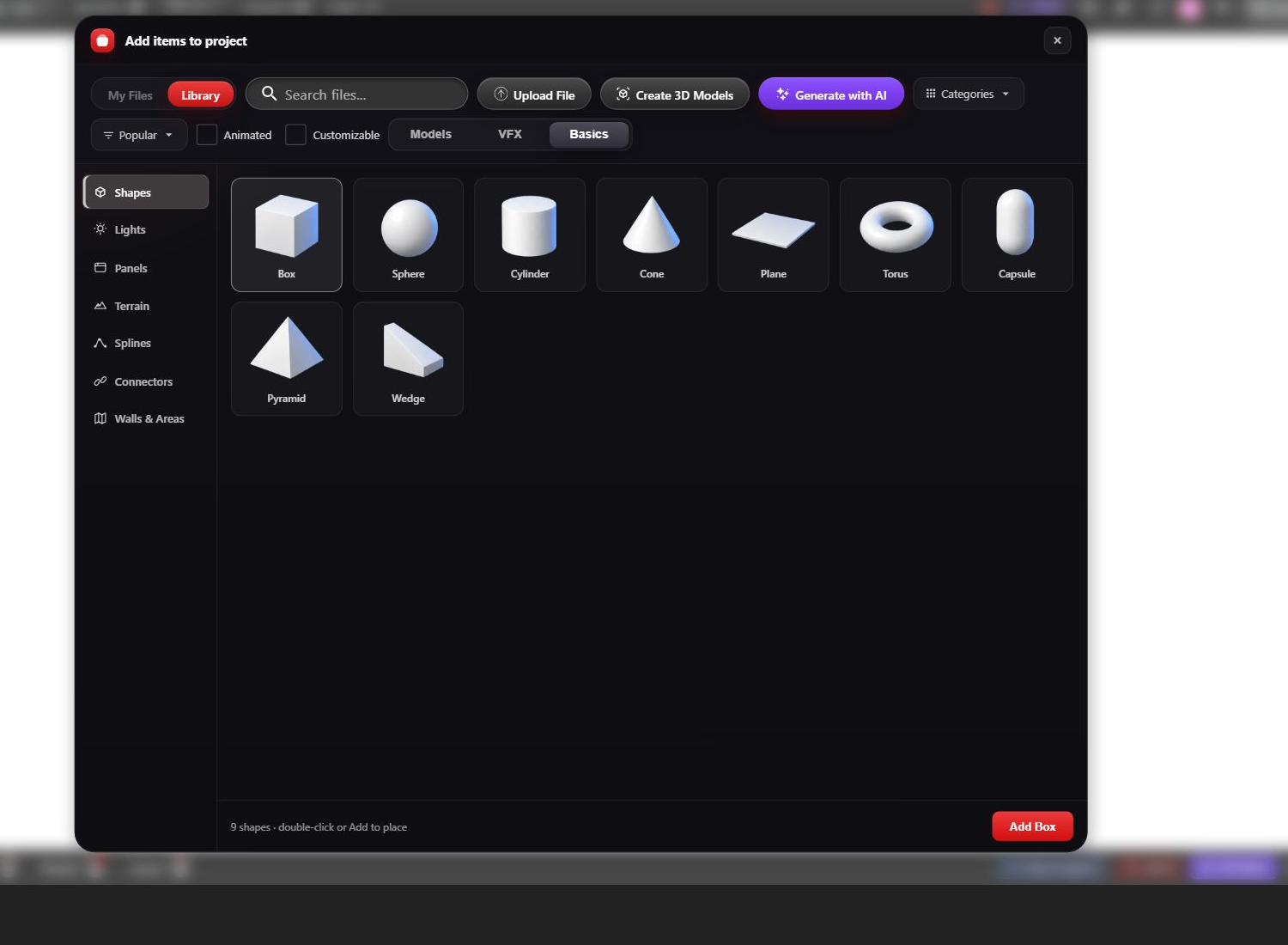
What you learn: Scale, camera framing, collision, movement, and difficulty progression.
Save for later: Moving platforms, a stopwatch, and a global leaderboard. First establish that your ordinary platform is on speaking terms with gravity.
3. The one-room escape game
The idea: Notice a clue, solve a small puzzle, and open a locked door.
Smallest playable version: One room, one clue, one puzzle, and one exit. For example, three wall symbols reveal the correct choice on a nearby panel. A correct choice makes a key available; using the key unlocks the door.
Make the connection between clue and puzzle fair. Reuse the same shapes or markings rather than expecting players to guess what a decorative painting is secretly trying to say.
In the editor, a Check Conditions flow can decide whether the player has the key, and an item's States & Transitions can move the door from closed to open. You get to work on whether the puzzle is satisfying while those visual tools handle the configured state changes.
What you learn: Conditions, state changes, environmental storytelling, and readable interactions.
Save for later: Multiple rooms and an elaborate backstory about the previous owner of every chair. For a full planning walkthrough, see our guide to making a no-code escape room.
4. The very important delivery
The idea: Pick up a parcel and carry it to a clearly marked destination.
Smallest playable version: One parcel, one destination, and one short route. The package might be a robot's replacement battery or a wizard's lunch. The wizard can wait; please test the pickup first.
Track whether the player has collected the parcel. At the destination, check that state before showing success. Let a player who arrives empty-handed know what is missing instead of silently judging them.
Use a Boolean variable such as HasParcel in Zimension, change it on pickup, and check it when the player interacts at the destination. Add a Show Message response for the empty-handed visit. That gives one small errand a beginning, a middle, and a polite reminder to bring the actual parcel.
What you learn: A simple quest structure, ordered actions, and guidance through a 3D space.
Save for later: Delivery schedules, branching conversations, and the economic simulation of an entire postal service.
5. The three-switch puzzle
The idea: Change three switches to match a nearby pattern and open a gate.
Smallest playable version: Three switches with two clear states each, one visible target pattern, and one gate. Show each switch's state with position, a symbol, or a label as well as colour.
Treat each switch as a small piece of saved game state during the session. After a change, check whether all three match the target. If they do, trigger the gate-opening action once.
Give unsuccessful attempts calm feedback. You want the player thinking about the puzzle, not wondering whether the controls are broken.
This is a useful reason to try Zimension's Logic Flow tools: each switch changes a variable, a condition checks the combination, and a successful result triggers the gate's transition. You can follow the decisions visually instead of trying to remember which switch did what.
What you learn: Boolean variables, conditions, consistent feedback, and accessible visual cues.
Save for later: Random solutions and a switch that changes every other switch. You can make the furniture hostile in the sequel.
6. The gallery mystery
The idea: Explore a tiny exhibition, notice a detail, and choose the correct exhibit to solve a mystery.
Smallest playable version: Three exhibits, a short clue at the entrance, and an answer area. “Which explorer returned from the ice planet?” could lead players to inspect objects associated with each character.
Make the evidence visible in the scene and keep text short enough to read comfortably. Test whether someone can reach the answer by observation rather than trying every option.
This format also works for a classroom topic: learners inspect a small set of objects and use what they find to answer a question.
Use library models as the exhibits and event-triggered messages for short clues. In Zimension, you can revise the object placement and the accompanying interactions in the same project, which makes it practical to test whether the room actually communicates your idea.
What you learn: Exploration, information design, and building interest without combat or difficult movement.
Save for later: A giant museum. Three interesting exhibits beat thirty rooms that look suspiciously like a furniture warehouse.
7. The miniature driving route
The idea: Drive from a starting area to a marked parking bay along a short route.
Smallest playable version: One vehicle, a wide track, a few turns, and a destination. Start by testing steering, braking, and the camera before you add scenery.
Zimension includes vehicle settings, but this is the most demanding starting point on the list: movement, collisions, camera behaviour, and the finish check all need attention. Give yourself plenty of space, and make reaching the destination the initial goal. Precision parking can come after the car stops treating the kerb as a personal challenge.
What you learn: Vehicle handling, route design, and testing interacting systems together.
Save for later: Traffic, opponents, damage, and a city. Especially the city.
Which idea should you choose?
Pick the project whose central action you actually want to improve.
- Like arranging spaces? Try the treasure hunt or gallery mystery.
- Like testing movement? Try the obstacle course.
- Like puzzles? Start with the escape room or switches.
- Like little stories? Build the delivery game.
- Specifically want to learn vehicles? Choose the driving route and allow extra testing time.
If two ideas are tied, choose the one that needs fewer different systems. You can always make another game. That is a much nicer problem than being permanently halfway through the first one.
Turn the idea into a playable Zimension project
Start with simple shapes and objects from the library. Build the route from start to finish before decorating it. Then open the editor's Logic menu to work with events, variables, and logic flows. Connect the essential interactions and add just enough feedback to make the outcome clear.
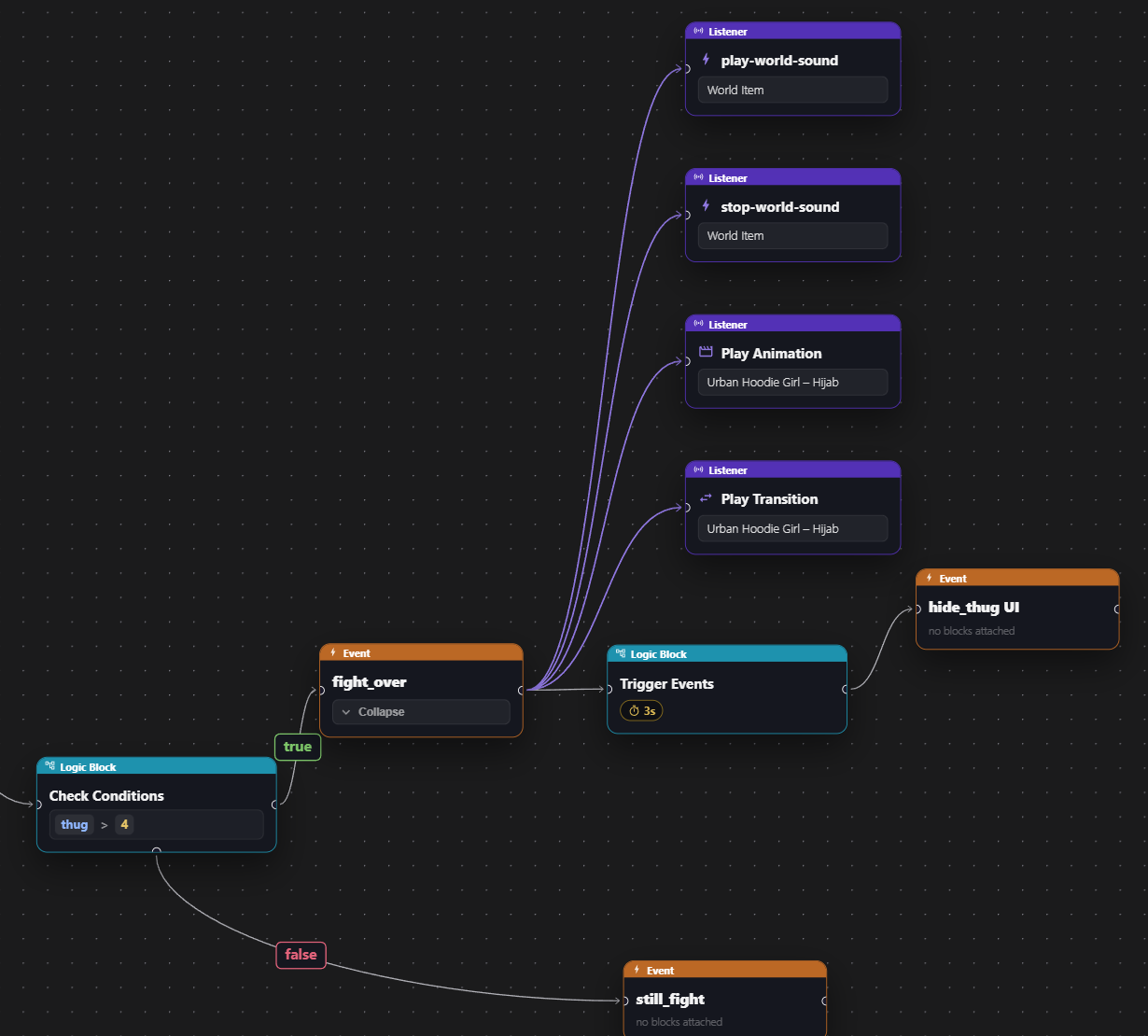
For the treasure hunt, that means a player can enter, collect all three objects, and finish. If that sequence works, you have a game. The dramatic waterfall is welcome to join the project afterwards.
Ask someone to play without instructions from you. Watch where they hesitate. Then improve that moment before adding another feature.
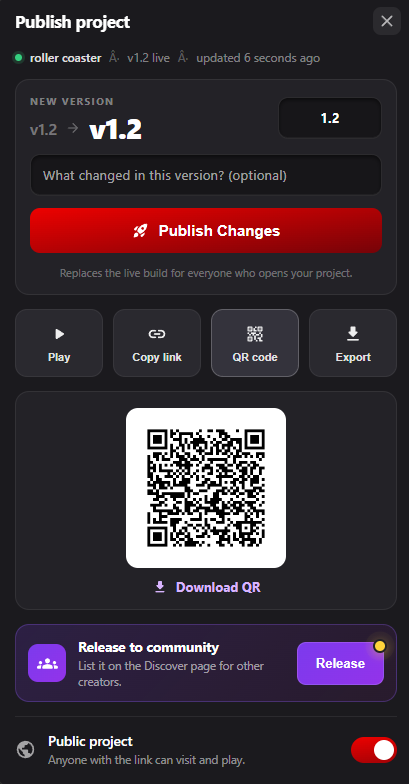
Once the full loop works, use Publish and copy the project's play link for your tester. This is where the browser workflow becomes useful: you can send someone the game you've made and get feedback on the actual experience.
If you need help with the tool itself, read the beginner's guide to making a 3D game without coding and the Zimension documentation.
Frequently asked questions
What is the easiest 3D game idea for a beginner?
A small treasure hunt is a practical starting point because it needs little content and has an easy-to-understand goal. Start with one area, three objects, clear collection feedback, and a finish condition.
Can I build these games without coding?
You can use Zimension's visual editor, events, variables, and logic flows to build simple versions of these ideas without writing scripts. You still need to decide what triggers each action, what state changes, and how the player knows they have succeeded.
Should my first game have multiplayer?
It is usually easier to finish and test a single-player version first. Multiplayer introduces questions about shared state, who can trigger an action, and what happens when players join or leave. Add it when it serves the game and you are ready to test those cases.
How do I stop my beginner game from getting too big?
Write down the smallest complete version before you begin. Keep extra ideas in a separate list, and finish the path from starting the game to winning it before choosing anything from that list.
Try the smallest one: Open Zimension, start a project, and add three objects for a treasure hunt. Get the first pickup working before you add the next two. That is a concrete first step, and your future dragon can wait.
Build something like this, without code.
Create 3D games, VR experiences and interactive worlds in your browser.
Related posts
 game development
How to Make an Escape Room Game Without Coding in Zimension
Build a small escape room in Zimension using Basics, Boolean variables, and a door transition. See the real controls, connect the puzzle, and share a playable link.
 game development
How to Make a 3D Game Without Coding: Beginner’s Guide
Learn how beginners, students, designers, and non-programmers can create their first 3D game without writing code using Zimension’s browser-based no-code 3D game engine.