


CtrlK
Others
Others
Additional project-level options:
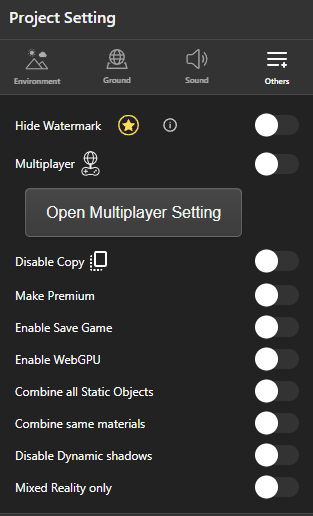
- Hide Watermark - Remove the Zimension watermark from the published project.
- Multiplayer - Enable multiplayer. Open Multiplayer Setting below the toggle opens the room and player options.
- Disable Copy - Prevent other users from copying this project.
- Make Premium - Gate entry so only users with a paid subscription can enter.
- Enable Save Game - Allow the project to save and restore progress with the
save_gameevent. - Enable WebGPU - Use WebGPU for rendering.
- Combine all Static Objects - Merge static meshes into fewer draw calls.
- Combine same materials - Merge objects that share a material.
- Disable Dynamic Shadows - Improve performance by dropping real-time shadows.
- Mixed Reality Only - Restrict the project to MR environments.