
Accessing Zimension
First Look at the Zimension Interface
Zimension is a web-based platform, so no installation is required.
To get started:
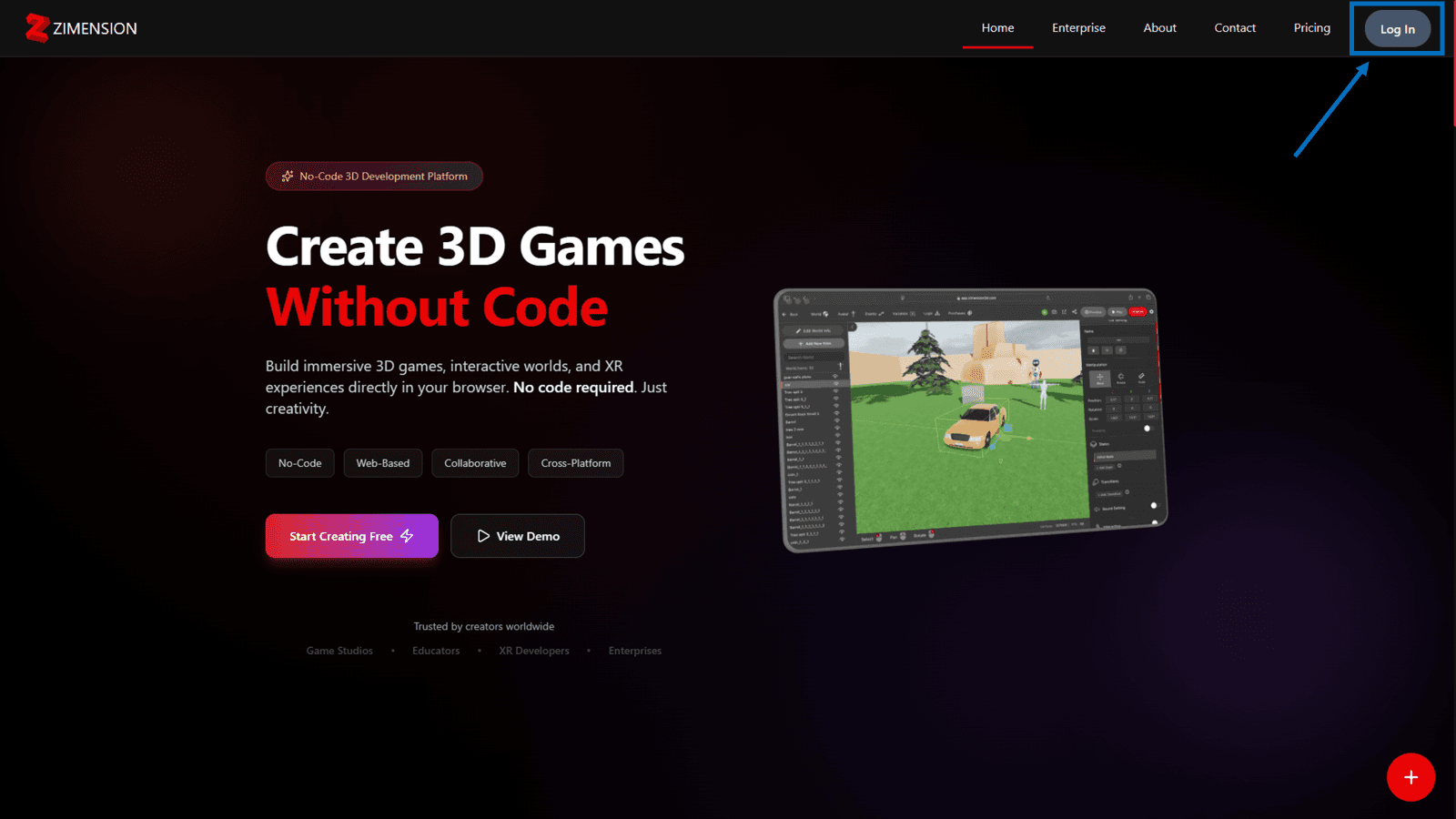
- Open the Zimension website in a modern web browser
- Click Log In
- Sign in using your Zimension account or Google Connect
Dashboard
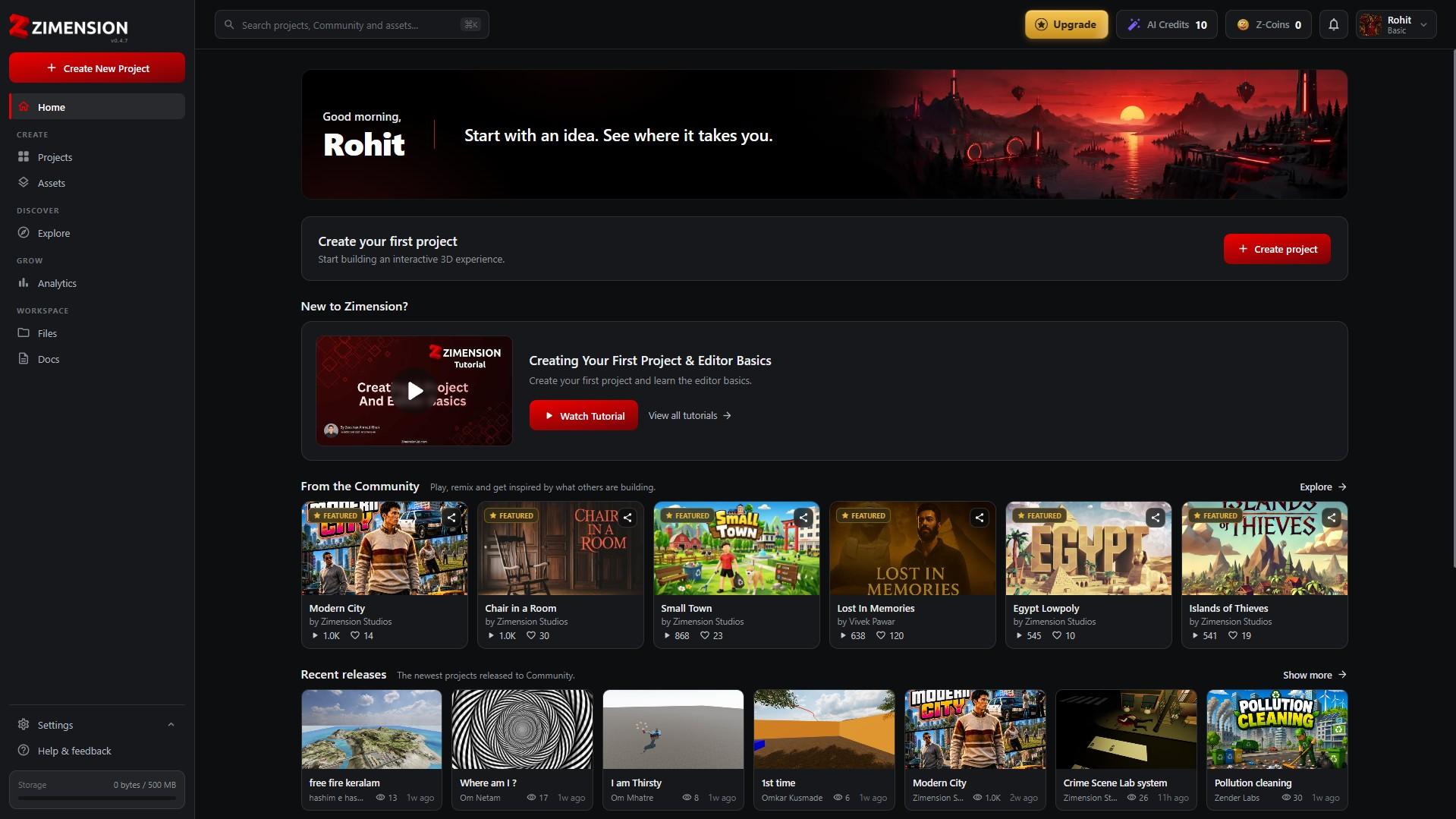
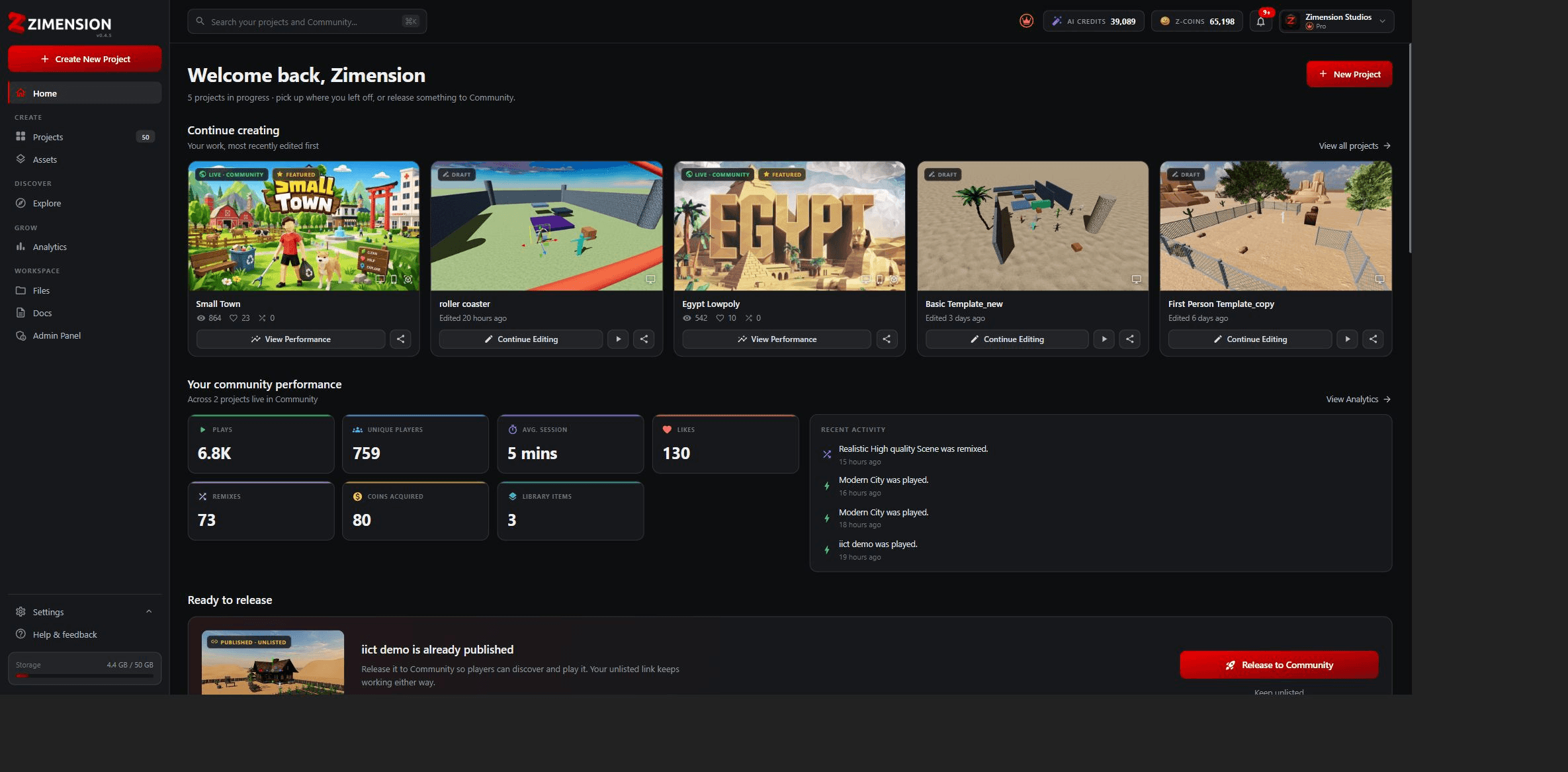
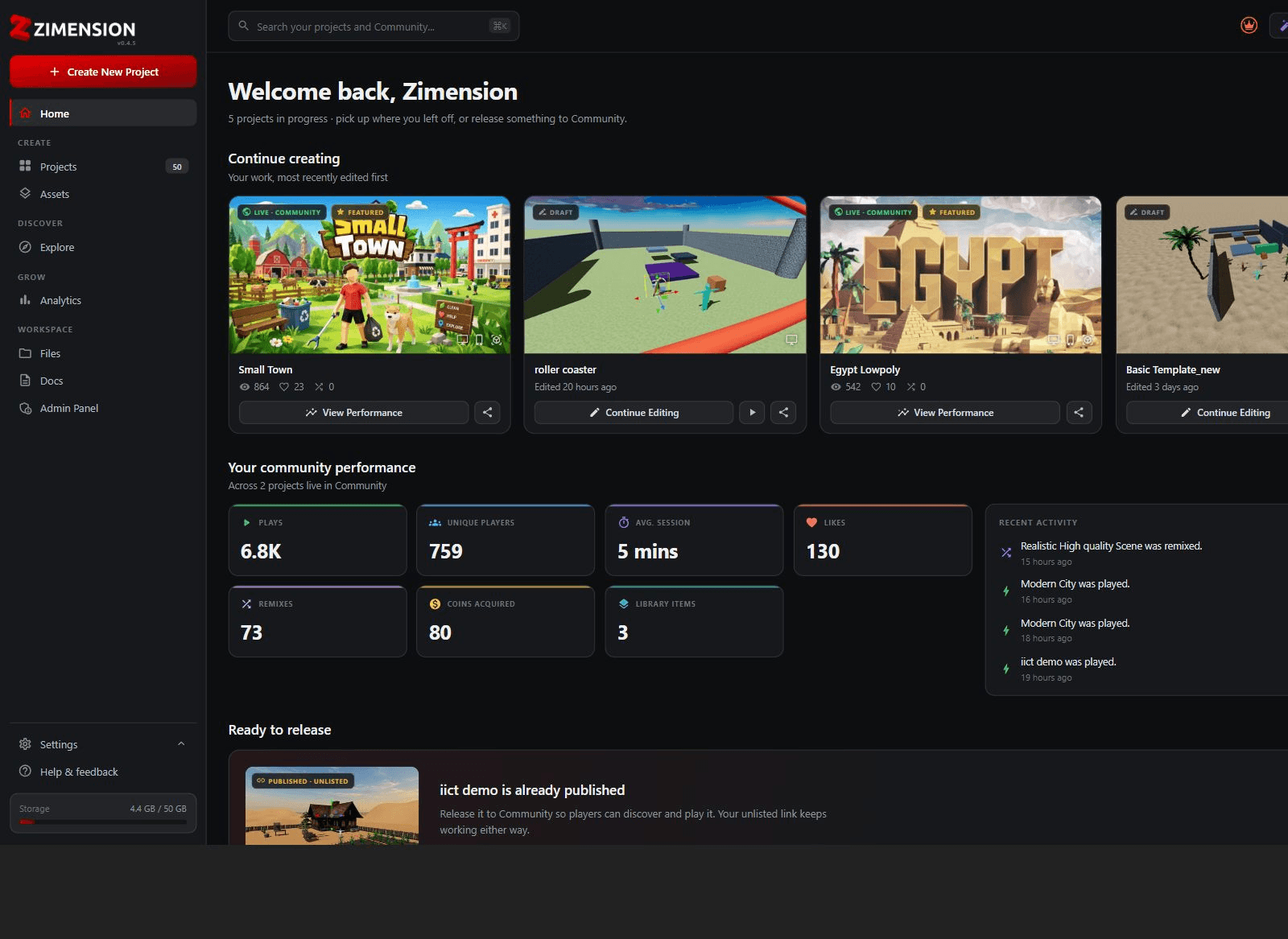
The Home Dashboard is the first screen you see after logging in. It acts as the central hub where you can discover projects, access your projects, and start creating new games.
Dashboard Overview
The Dashboard is the main workspace displayed after signing in to Zimension. From here, you can create new projects, explore community creations, browse recently released content, access assets, and manage your account.
Use the overview below to understand each section of the current Dashboard.
Dashboard Components
- Search Bar - Search for projects, community projects, assets, and other available content.
- Create New Project - Start building a new game or interactive experience.
- Community Showcase - Preview, play, and remix supported projects featured by the community.
- Project Cards - View a project's thumbnail, title, creator, views, likes, and available actions.
- Share Project - Share a project with others from its project card.
- Recent Releases - View the latest projects published by the community.
- New Assets - Browse recent additions to the Zimension and Community libraries.
- Upgrade - Unlock additional features, resources, and platform benefits.
- Account Profile - Access your profile, settings, notifications, and account options.
- AI Credits & Z-Coins - View balances used by supported platform features and services.
The Dashboard provides quick access to the features you use most, including project creation, community content, assets, and account management.
Sidebar Navigation
The Sidebar Navigation is available throughout the platform and provides quick access to project management, assets, community content, analytics, files, documentation, and account tools.
Sidebar Components
- Home - Return to the Dashboard and platform overview.
- Create New Project - Open the project creation workflow.
- Projects - View, organize, edit, and manage your projects.
- Assets - Browse, search, and manage project assets.
- Explore - Discover community-created and featured experiences.
- Analytics - Review project engagement and performance insights.
- Files - Access files uploaded to or shared with your account.
- Docs - Open Zimension tutorials, guides, and reference material.
- Settings - Manage account settings and preferences.
- Help & Feedback - Access support, report issues, or submit feedback.
- Storage Usage - View used and remaining account storage.
Exploring Projects
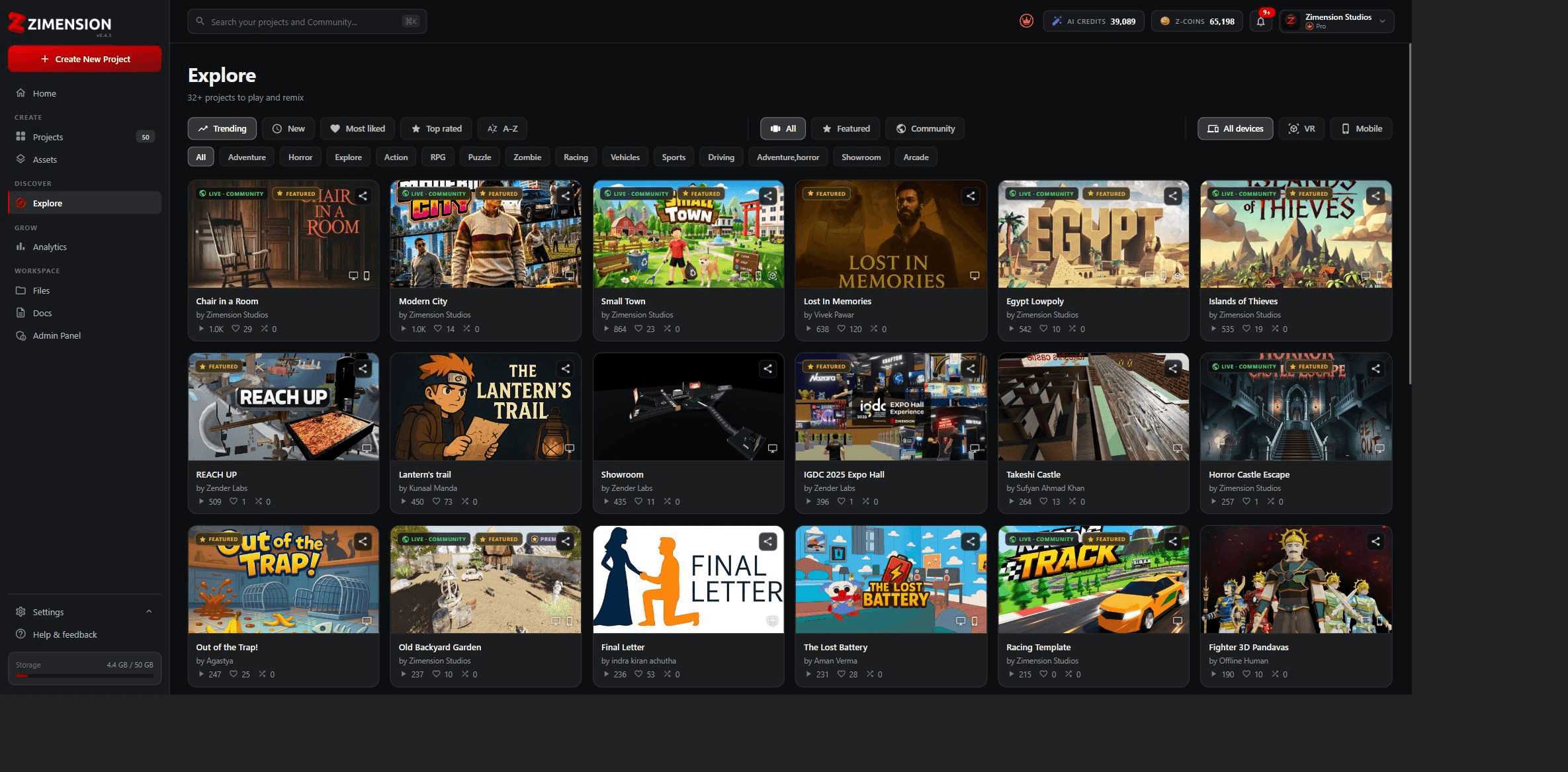
Browse and discover projects created by the community. Filter by category, popularity, or recent additions.
My Projects
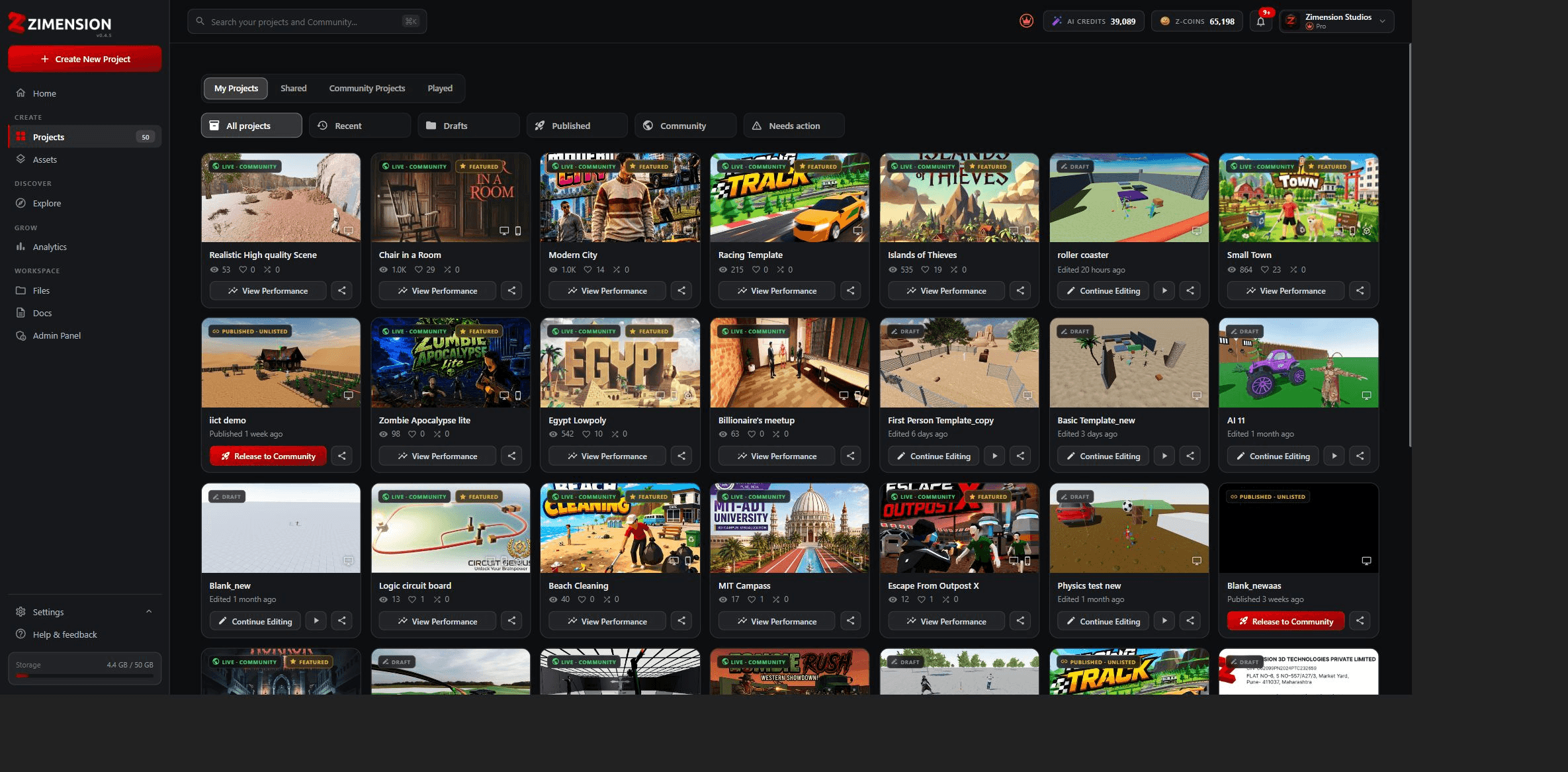
Access all your created projects. Edit, duplicate, share, or delete your projects from this section.
Project Details & Options
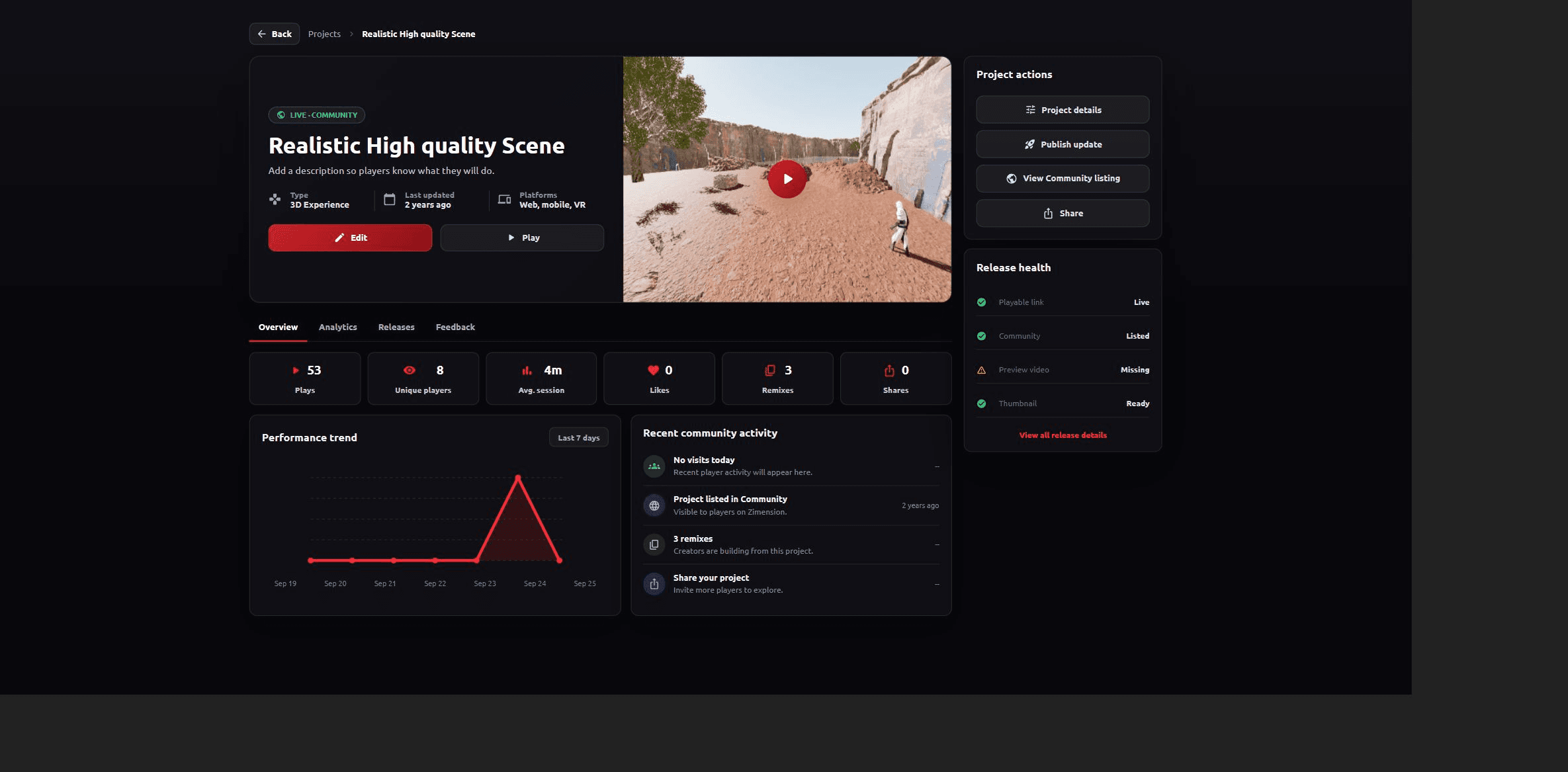
The Project Card provides a complete overview of a selected project and the tools needed to manage and publish it. It shows the project title, publication status, description, supported platforms, last update time, and a preview with a play button for testing the project.
Primary actions include Edit, Project Details, Publish Update, Release to Community, and Share. These let you modify the project, update its published version, release it to the community, or share it with others.
The Overview, Analytics, Releases, and Feedback tabs organize project information and performance data. The Overview includes plays, unique players, average session time, likes, remixes, shares, performance trends, and recent community activity.
The Release Health panel highlights missing assets or incomplete release information before your project is made publicly available.
User Profile & Settings
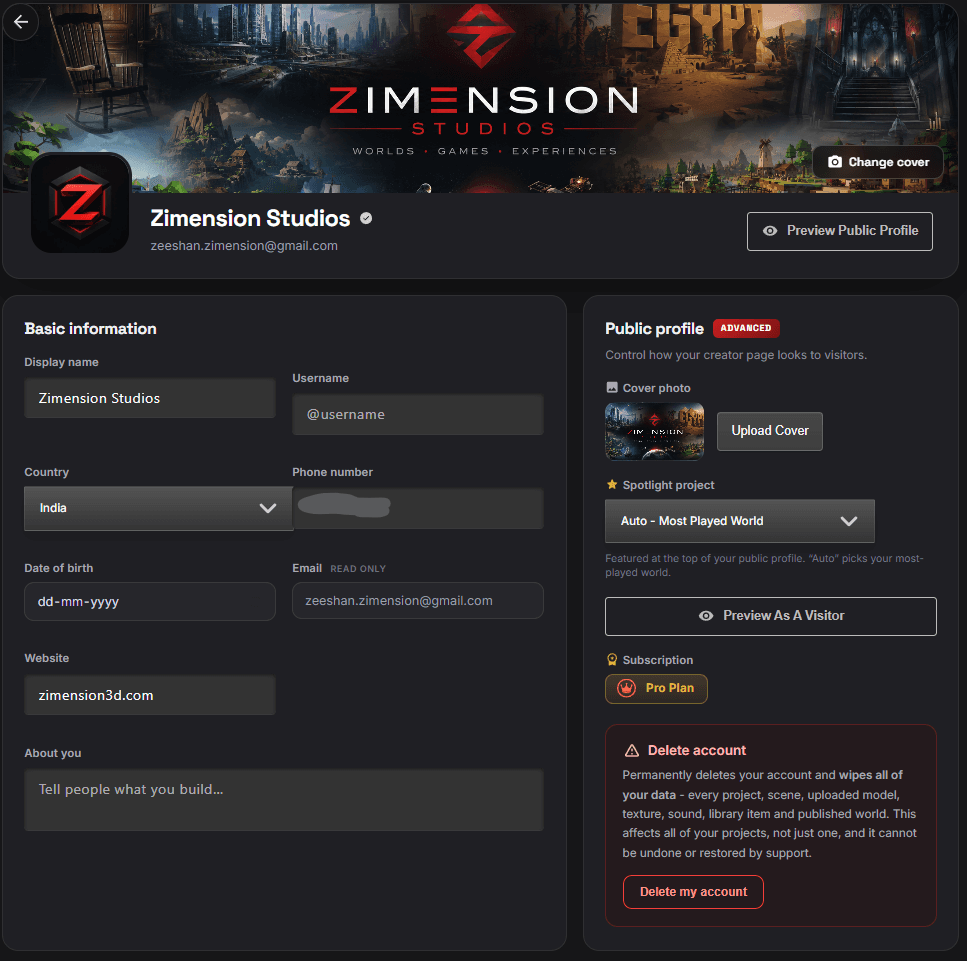
The Profile Settings page lets you manage account information, personalize your public profile, and control creator settings from one place. You can upload a cover photo, edit your profile picture, and preview how your public profile appears to other users.
Basic Information includes your display name, username, country, phone number, date of birth, website, and biography. Your registered email is displayed as read-only.
The Public Profile panel lets you upload a profile cover, select a Spotlight Project, and preview the profile from a visitor's perspective.
Together, these controls provide a central place to customize personal information, public visibility, and account settings.
Subscription & Z-Coins
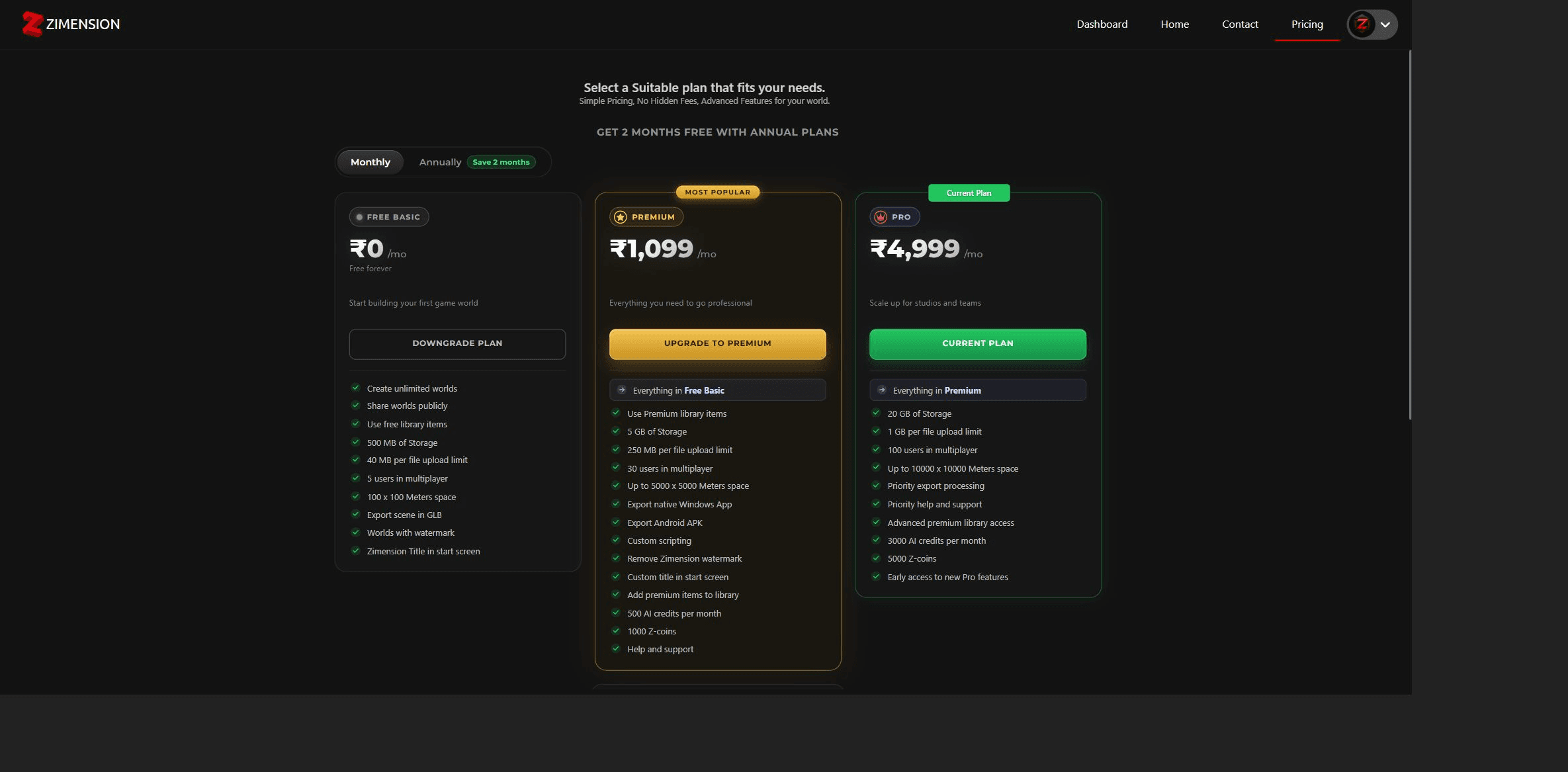
Manage your subscription plan and Z-Coins balance.
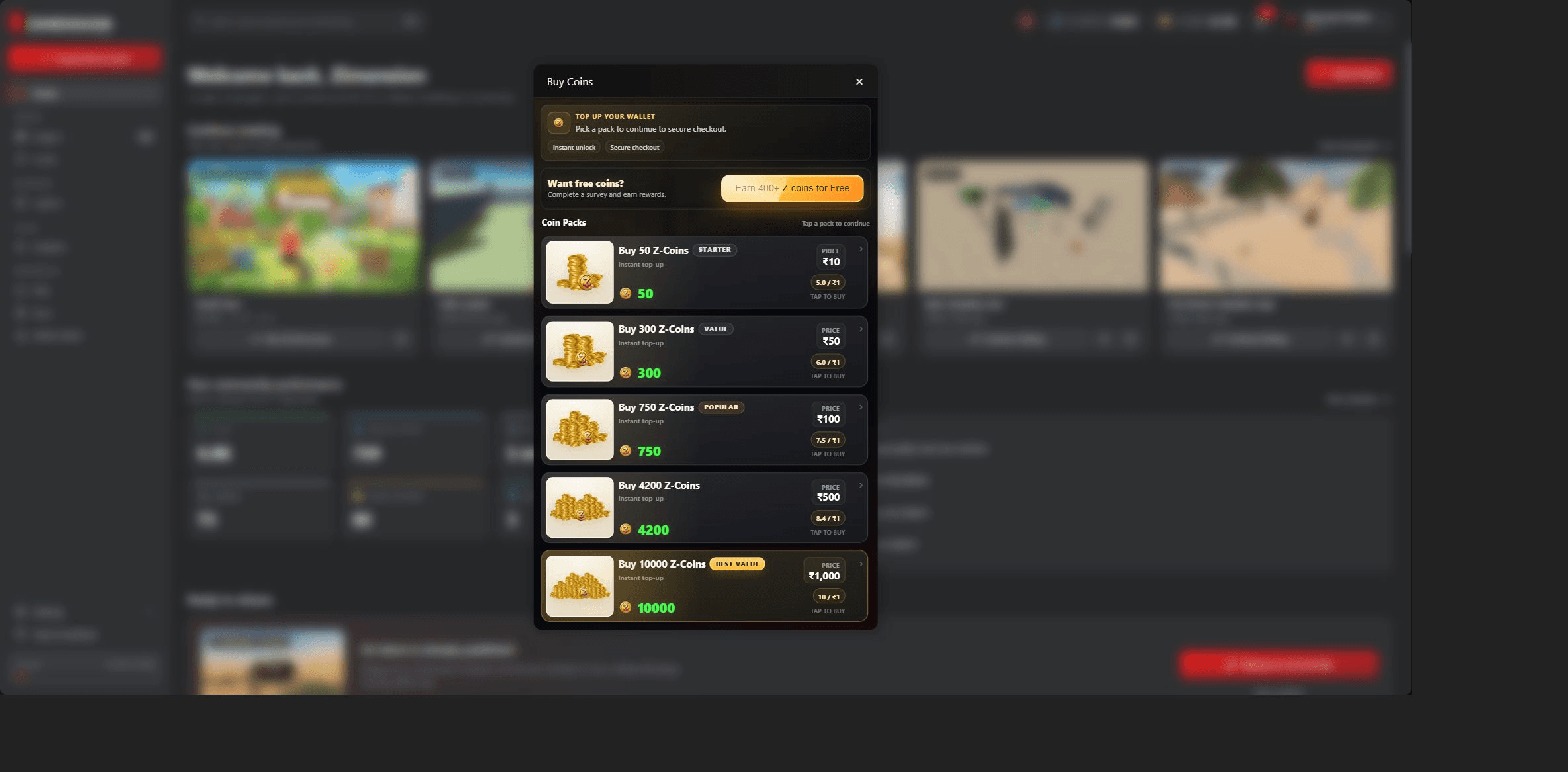
Z-Coins are used for in-project purchases and premium features.
Notifications
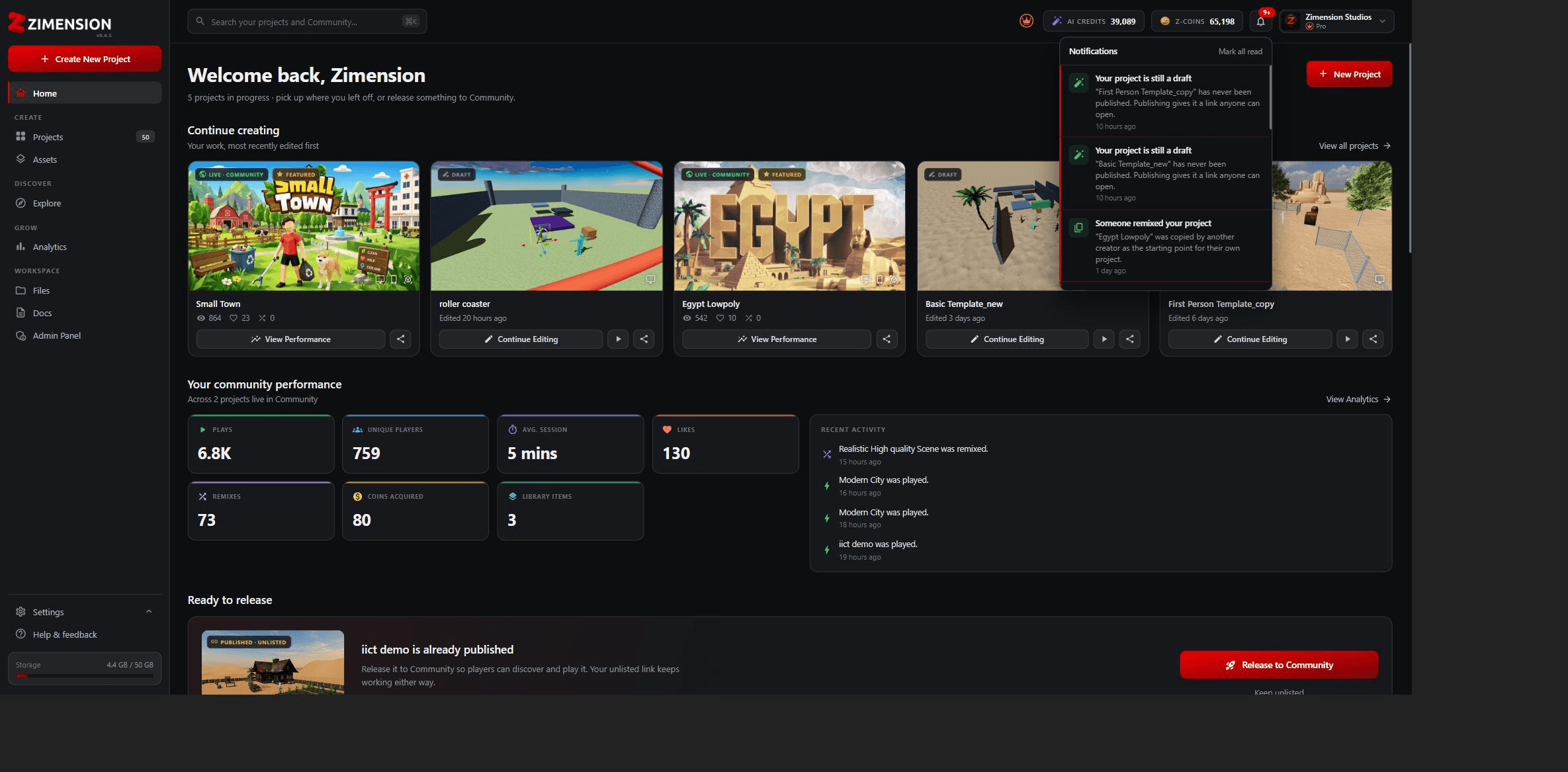
The Notifications panel keeps you informed about important project updates, publishing reminders, and account activity. Recent notifications appear in chronological order so you can quickly identify pending actions, such as unpublished projects or community release recommendations.
Selecting a notification helps you review project status and required follow-up actions from anywhere in the platform.
Help & Support
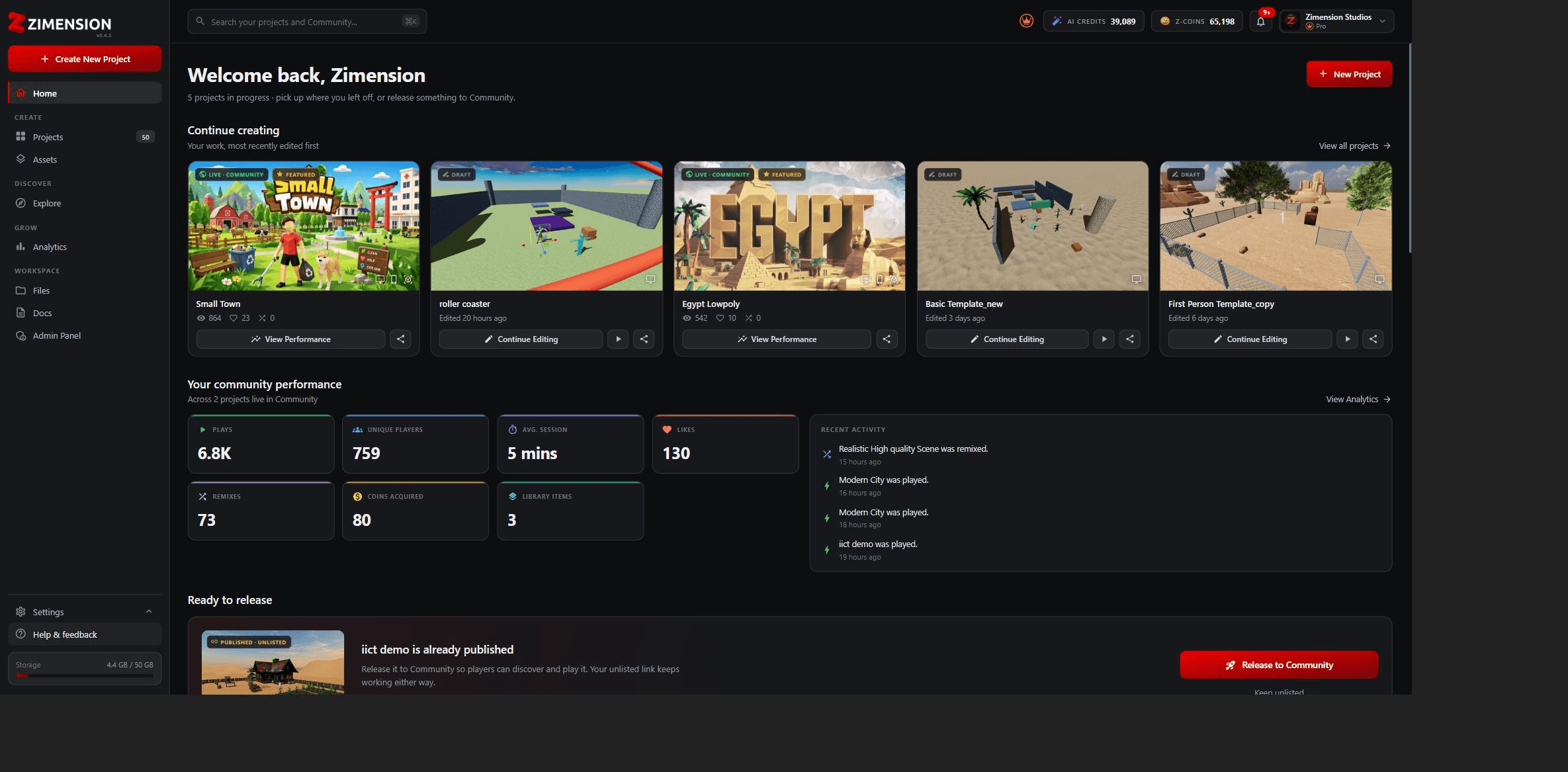
Select the highlighted Help & Feedback option to open Zimension Docs, the central knowledge hub for guides, tutorials, and reference material covering the platform.
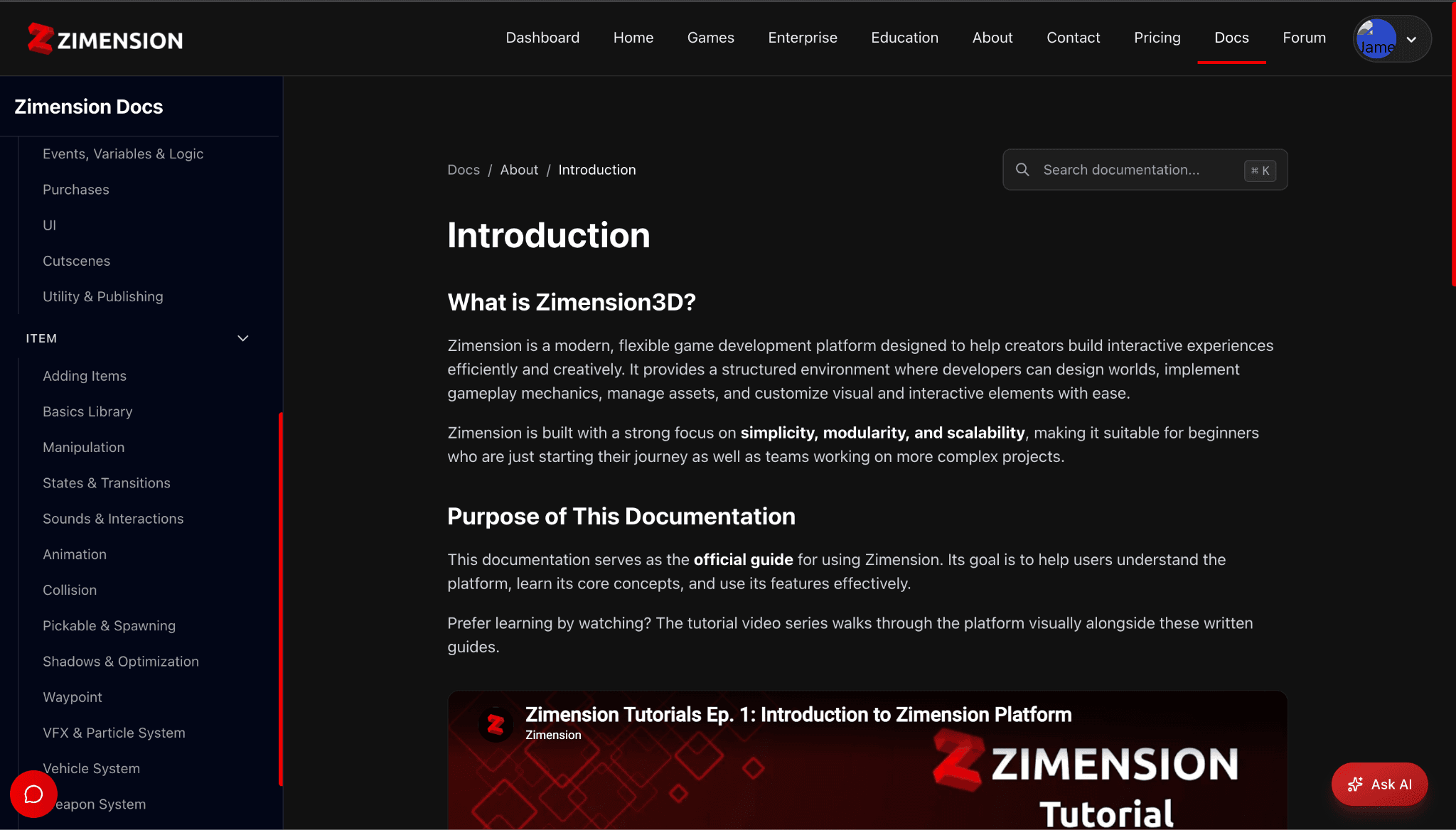
The documentation sidebar organizes topics into categories such as Getting Started, Editor, Items, and other core systems. Pages include detailed explanations, step-by-step instructions, embedded tutorials, and practical examples.
Zimension Docs also provides troubleshooting information, feature references, best practices, and learning materials to help you build and publish projects confidently.