

CtrlK
Monetise
Purchase System (Z-Coins)
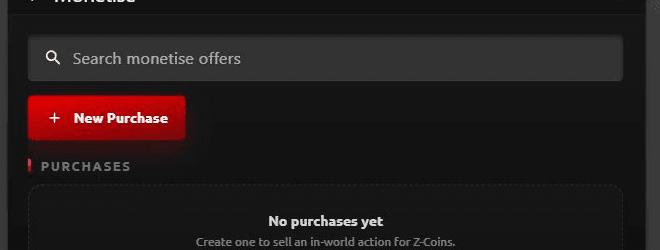
The Purchase System in Zimension allows creators to monetize gameplay actions using Z-Coins. Purchases are event-driven, simple to configure, and tightly integrated with the Logic Workflow.
1. What is the Purchase System?
The Purchase System enables creators to:
- Offer paid actions inside a project
- Use Z-Coins as the in-project currency
- Unlock gameplay advantages, shortcuts, or content
- Trigger events after successful purchase
Purchases are not items: they are actions tied to events.
2. How Purchases Work
The purchase flow follows this logic:
Event occurs → Purchase prompt is shown → Player pays Z-Coins → Event is triggered
3. Purchase Configuration
Show Purchase On Event
- Select an Event
- The purchase prompt will appear only when this event is triggered
Title
- Text shown to the player describing what the purchase does
Trigger Event (After Purchase)
- Select the event triggered after a successful purchase
- This event can change variables, open doors, teleport player, grant rewards
Z-Coins Cost
- Cost of the purchase in Z-Coins
- Must be a numeric value
4. Example Use Cases
Skip Checkpoint
- Event: player_failed
- Show purchase: "Skip to next checkpoint"
- Cost: 10 Z-Coins
- Trigger event: skip_checkpoint
Revive Player
- Event: player_dead
- Show purchase: "Revive instantly"
- Cost: 20 Z-Coins
- Trigger event: player_revive
Unlock Premium Area
- Event: premium_door_interact
- Show purchase: "Unlock premium zone"
- Cost: 50 Z-Coins
- Trigger event: open_premium_door
5. Best Practices
- Always explain what the player gets
- Keep costs balanced for gameplay fairness
- Avoid blocking core gameplay behind purchases
- Use purchases for convenience, cosmetic access, optional shortcuts
- Combine purchases with conditions for smarter logic
6. What Purchases Are NOT
- Not physical inventory items
- Not hardcoded paywalls
- Not automatic actions
Purchases are event-based monetization triggers.