

CtrlK
Creating Your First Project
Opening the Create Project Dialog
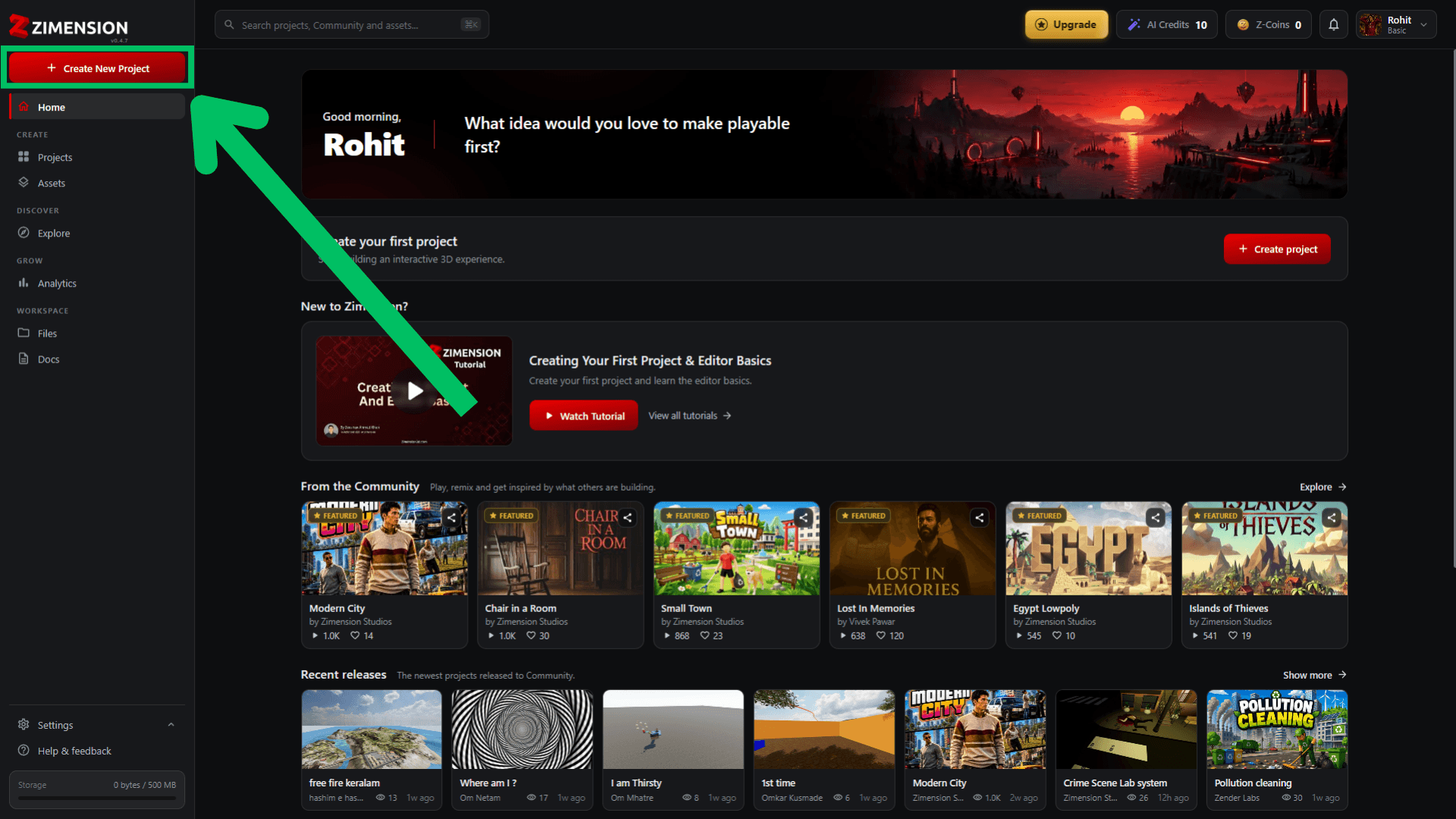
- Open the Sidebar Navigation
- Click Create New Project
Choosing a Template
A template is a project that is already built, so you start with a scene instead of an empty one. Pick one that is close to what you want and change it, or start blank and build from nothing.
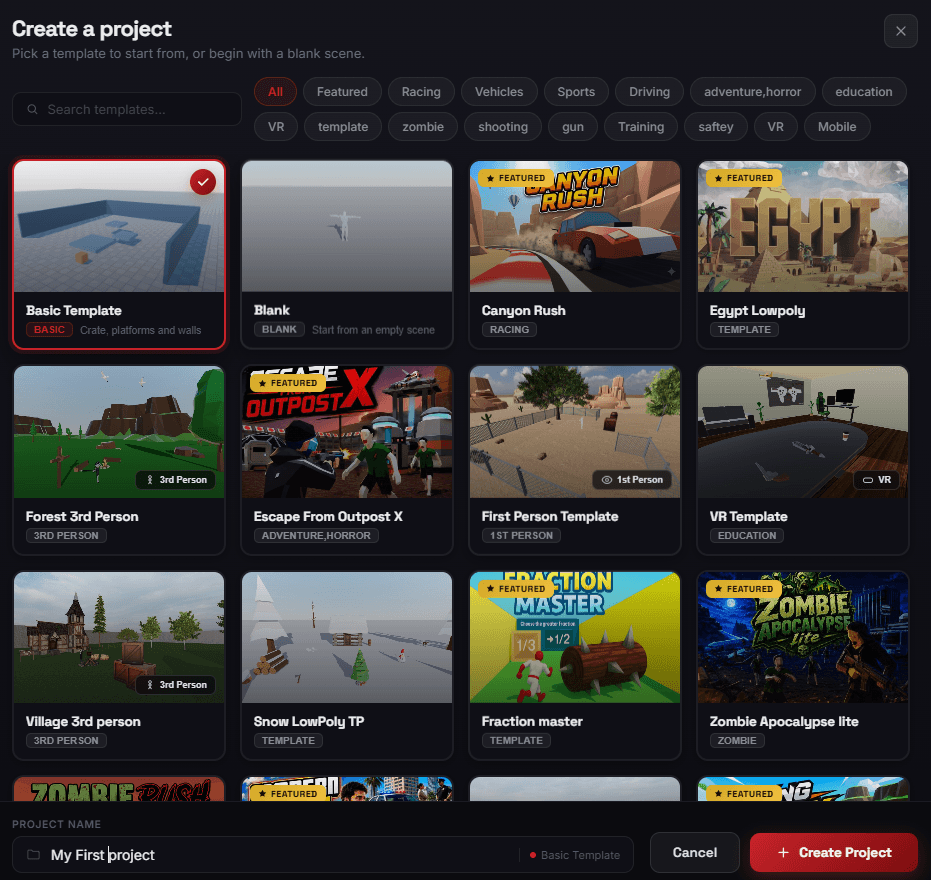
- Basic Template - a crate, platforms, and walls. A small scene to learn the editor in.
- Blank - an empty scene, for building from nothing.
- Ready-made games - complete projects such as Canyon Rush, Escape From Outpost X, and Zombie Apocalypse lite. Open one to see how it was put together.
- Starting points - templates set up for one style of play, labelled on the card as 1st Person, 3rd Person, or VR.
Use Search templates to find one by name, or the category row (Featured, Racing, Vehicles, Sports, Driving, Education, VR, Mobile, and more) to narrow the grid. A FEATURED badge marks templates worth starting with.
Naming Your Project
Enter a name in Project Name at the bottom of the dialog. The template you picked is shown beside it, so you can check it before you commit. Click Create Project to open your new project in the editor. The name can be changed later in project settings.