


CtrlK
Sounds & Interactions
Item Sound Settings
Sounds can be attached to items and controlled using events.
Sound Configuration
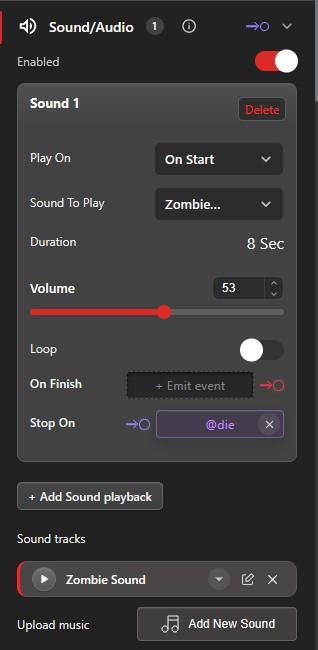
- Play On - Choose On Start, On Interaction, or On Event.
- Sound to Play - Select audio file
- Volume - Control loudness
- Loop - Repeat continuously
- On Finish - Emit an event when playback completes.
- Stop On - Event to stop playback
Item Interactions
Make items interactive to respond to player actions.
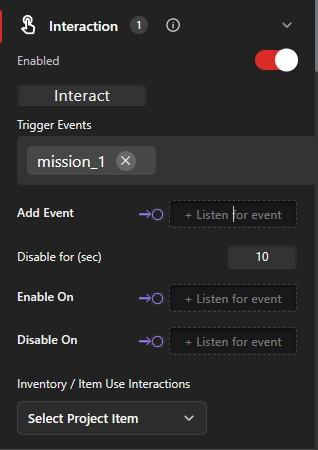
Interaction Options
- Trigger Events - Events fired on interaction
- Disable for (Seconds) - Cooldown period
- Enable On - Event to enable interaction
- Disable On - Event to disable interaction
- Inventory / Item Use Interactions - Select a project item required for this interaction