

Utility & Publishing
Publishing a Project
Publish builds your project and gives it a link anyone can open and play. Until you publish, the project exists only in the editor.
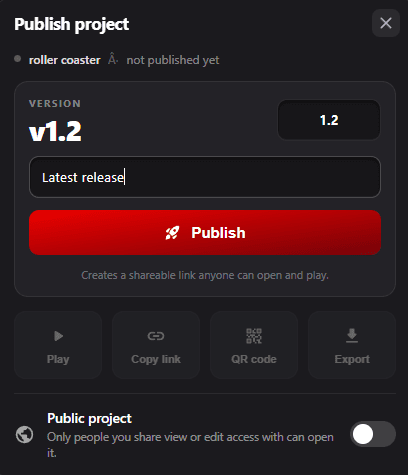
Publishing the First Version
- Open Publish from the editor.
- Set the Version number, or keep the one offered.
- Write a short note about the release. This is optional.
- Click Publish.
Publishing Changes
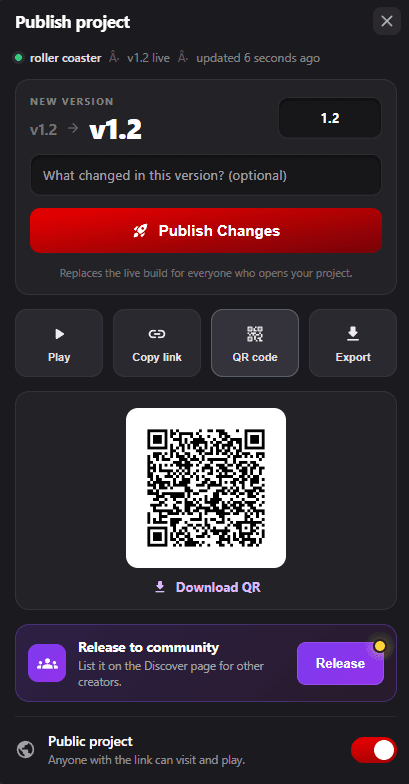
Once a project is live, the popup shows the current version, the new version, and when it was last updated. The button becomes Publish Changes and replaces the live build for everyone who opens the project, so players get the new version on their next visit.
Raise the version number for each release and use the notes field to record what changed. It becomes the history of the project.
After Publishing
- Play - open the published project the way a player sees it.
- Copy link - copy the shareable link.
- QR code - show a QR code for the link, with Download QR to save it as an image. Useful for events, workshops, and presentations.
- Export - open the export options for the published build.
Release to Community
Release submits the project for listing on the Discover page, where other creators can find it. A dot on the button marks a published project that has not been released to the community yet.
Public Project
The Public project switch decides who can open the link. Public means anyone with the link can visit and play. Off means only the people you have given view or edit access to can open it.
Sharing a Project
The Share Project feature allows you to share your project with others using email access, public links, and QR codes.
Sharing with Specific People
- Enter email address of the person to share with
- View - Can play and explore the project
- Edit - Can edit the project, change items, logic, UI
Public Link Sharing
- Public - Anyone with the link can join
- Private - Only explicitly shared users can access
- Toggle using "Make it private"
QR Code Sharing
- Displays a QR code linked to the project URL
- Useful for events, workshops, presentations
Setting a Project Thumbnail
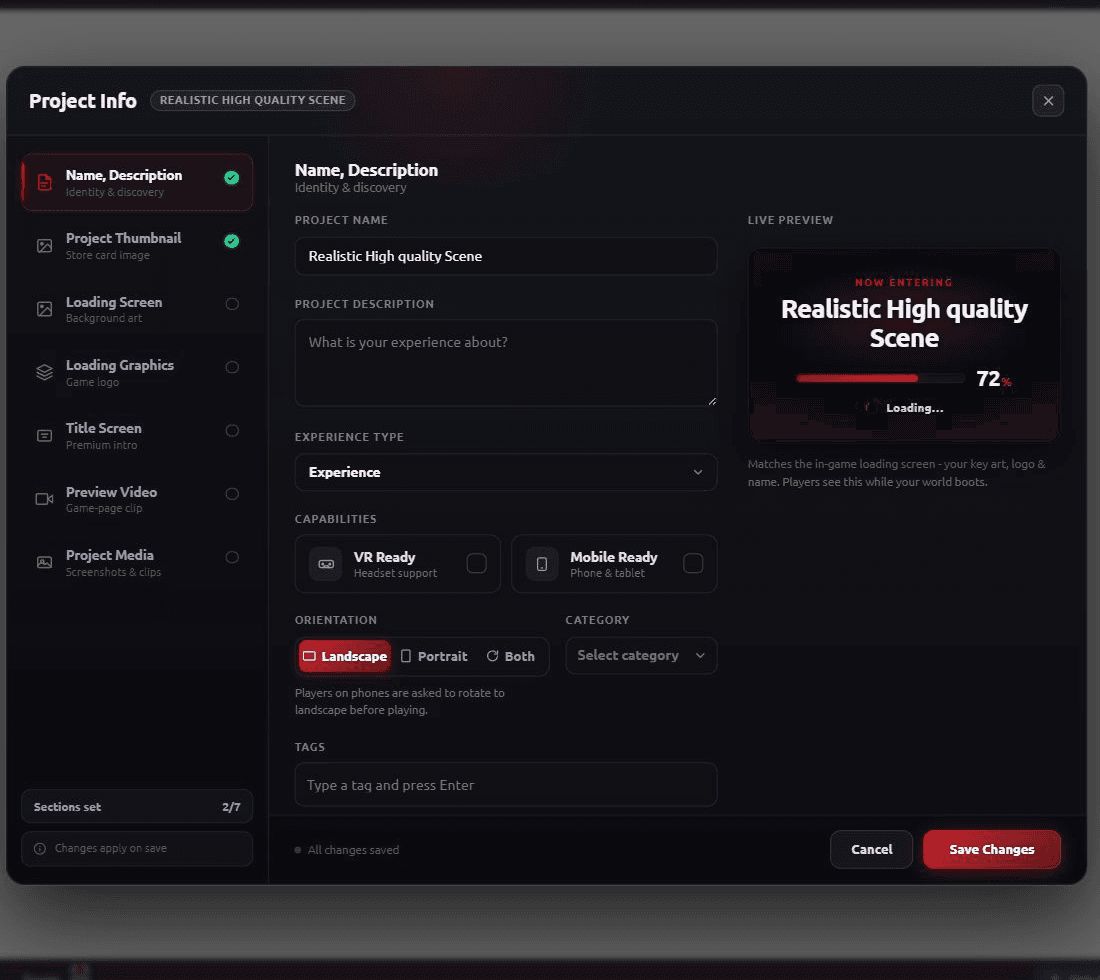
The Project Thumbnail is the preview image shown for your project across project listings, shared links, and discover pages.
Auto-Generated Thumbnail
- Click Update Thumbnail to save the displayed image
Upload Custom Thumbnail
- Upload your own image file for marketing-friendly visuals
Project Info & Details
Name, Description & Tags
- Project Name - Display name shown in project cards
- Project Description - Short explanation of the project
- VR Ready - Indicates VR support
- Mobile Ready - Indicates mobile optimization
- Categories - Game, Education, Simulation, etc.
- Tags - Keywords for search and discoverability
Loading Screen
- Upload a custom image for the loading screen
- Improves first impression and reduces perceived loading time
Editor Settings (Preferences)
Click to Place
- Items are placed on the ground based on user clicks
- Useful for fast project building
Auto Save
- Automatically saves your project at regular intervals
- Prevents loss of progress
Play Type
- Player Mode - Full player experience with Avatar, camera, physics
- Interactive Mode - Focused on interaction testing
Exporting Your Project
- GLB - 3D asset format
- USDZ - Universal 3D format
- Desktop Application - Standalone EXE
- Web Static Files - Self-hostable files
Preview, Play, and Publish

- Preview - Quick test for recent changes
- Play - Full play mode with all scripts
- Publish - Make project available with versioning